The best Shopify automation tools in 2026 let you run marketing, orders, inventory, shipping, support, accounting, and analytics without touching each task manually. The right stack depends on what you sell and how you sell it, but most Shopify merchants can cover 90% of their repetitive work with six to eight well-chosen apps. This guide compares 10 of the most widely used No-code Shopify automation tools across every major workflow, with 2026 pricing, honest strengths, and where each one fits best. If you want the short version: start with Shopify Flow (free, native), add Klaviyo for retention, ShipStation or a fulfillment app for shipping, and Bloom for profit analytics, then layer the others as you grow.
Key Takeaways
Shopify Flow is now free on every standard Shopify plan (Basic, Grow, Advanced, Plus), not just Shopify Plus as it once was.
Klaviyo, Gorgias, and ReConvert together cover the retention loop (email/SMS, support, and post-purchase upsells) for most DTC stores.
Inventory, shipping, and accounting automations pay for themselves fastest, because they cut hours of manual data entry and prevent revenue leaks like overselling and misreported COGS.
QuickBooks Online is a paid product ($35–$99/month in 2026). Only the Shopify Connector app inside QuickBooks is free.
Profit analytics is the layer most merchants skip, and it is the one that tells you whether the rest of the stack is actually making money.
Shopify Automation Tools at a Glance
The table below summarizes each tool, what it automates, its 2026 starting price, and whether it has a free tier. Full breakdowns follow.
Tool | Best for | Free tier | Starts at (2026) |
Shopify Flow | Native workflow automation | Free on all plans | Free |
Klaviyo | Email and SMS marketing | Yes (up to 250 contacts) | $15/month (email) |
Gorgias | Customer support helpdesk | No | $10/month (Starter) |
ShipStation | Shipping and label printing | No (trial only) | $14.99/month |
Order Automator | Order tagging and rules | Yes | $10/month |
Judge.me | Product reviews and UGC | Yes | $15/month (Awesome) |
ReConvert | Post-purchase upsells | Yes (up to 49 orders/month) | $4.99/month |
ChannelBay | Multi-channel inventory sync | Yes (during beta) | Free |
QuickBooks Online | Accounting and bookkeeping | No (Connector app is free) | $35/month |
Profit analytics and attribution | 14-day free trial | $20/month |
What are Shopify Automation Tools?
Shopify automation tools are apps or built-in features that carry out repetitive Shopify tasks (order tagging, inventory updates, review requests, refund handling, email flows, report generation, and so on) without a human doing them each time. They fall into two broad categories:
No-code automation tools use a visual builder with triggers, conditions, and actions. Shopify Flow is the native example; Klaviyo, ReConvert, and Order Automator are third-party examples. No engineering time required.
Code-based automation uses Shopify's GraphQL Admin API, webhooks, or custom apps to build workflows that off-the-shelf apps cannot handle. Higher ceiling, but you need a developer.
For most merchants the no-code stack covers everything they need until they hit a truly custom workflow, which is usually only after seven or eight figures in annual revenue.
How to Choose the Right Shopify Automation Tool
There are hundreds of automation apps in the Shopify App Store. A short filter keeps the list manageable:
Native beats third-party where possible. If Shopify Flow can do the job, use it. It is free, updates automatically, and has no sync lag with the Shopify admin.
One tool per job. Overlapping apps create conflicting automations (two apps both tagging the same order, two email tools competing for the same trigger) and waste money.
Watch total cost, not sticker price. Ticket based, MAU based, and order based pricing all scale differently. Model the cost against your actual volume before installing.
Test on staging or with narrow rules first. A misconfigured automation on a live store can send 10,000 wrong emails or oversell a top SKU in an hour.
10 Best Shopify Automation Tools for 2026
The tools below are grouped roughly in the order most stores add them: workflow first, then marketing, then support, then operations, then analytics.
1. Shopify Flow (Best for Native Workflow Automation)
What it automates: Custom rule-based workflows inside Shopify: auto-tagging orders, notifying teams, restricting risky checkouts, applying VIP logic, sending internal alerts, moving inventory between locations, and triggering third-party app actions through Flow connectors. Since 2023 it has been available on Basic, Grow, Advanced, and Plus (previously Plus-only), and the Winter 2026 update added Sidekick AI, which lets you describe a workflow in plain English and let AI draft it.

Pricing: Free on every Shopify plan except Starter. A few advanced actions (Send HTTP Request, custom partner-app tasks) are gated to Grow/Advanced/Plus tiers.
When to pick it: You want the highest-leverage automation on the cheapest possible line item. Every Shopify store should have Shopify Flow turned on before adding any paid automation app.
2. Klaviyo (Best for Email and SMS Marketing Automation)
What it automates: Behavioral email and SMS flows triggered by Shopify events: abandoned cart, browse abandonment, welcome series, post-purchase, winback, VIP, replenishment. Segmentation runs on live Shopify data (orders, products, tags, custom properties), and revenue attribution is reported per flow and per campaign. Direct connector into Shopify Flow makes it easy to trigger Klaviyo events from broader Shopify rules.

Pricing: Free plan up to 250 contacts and 500 email sends. Paid email plans start at $15/month; email + SMS plans start at $20/month. Costs scale with active profiles.
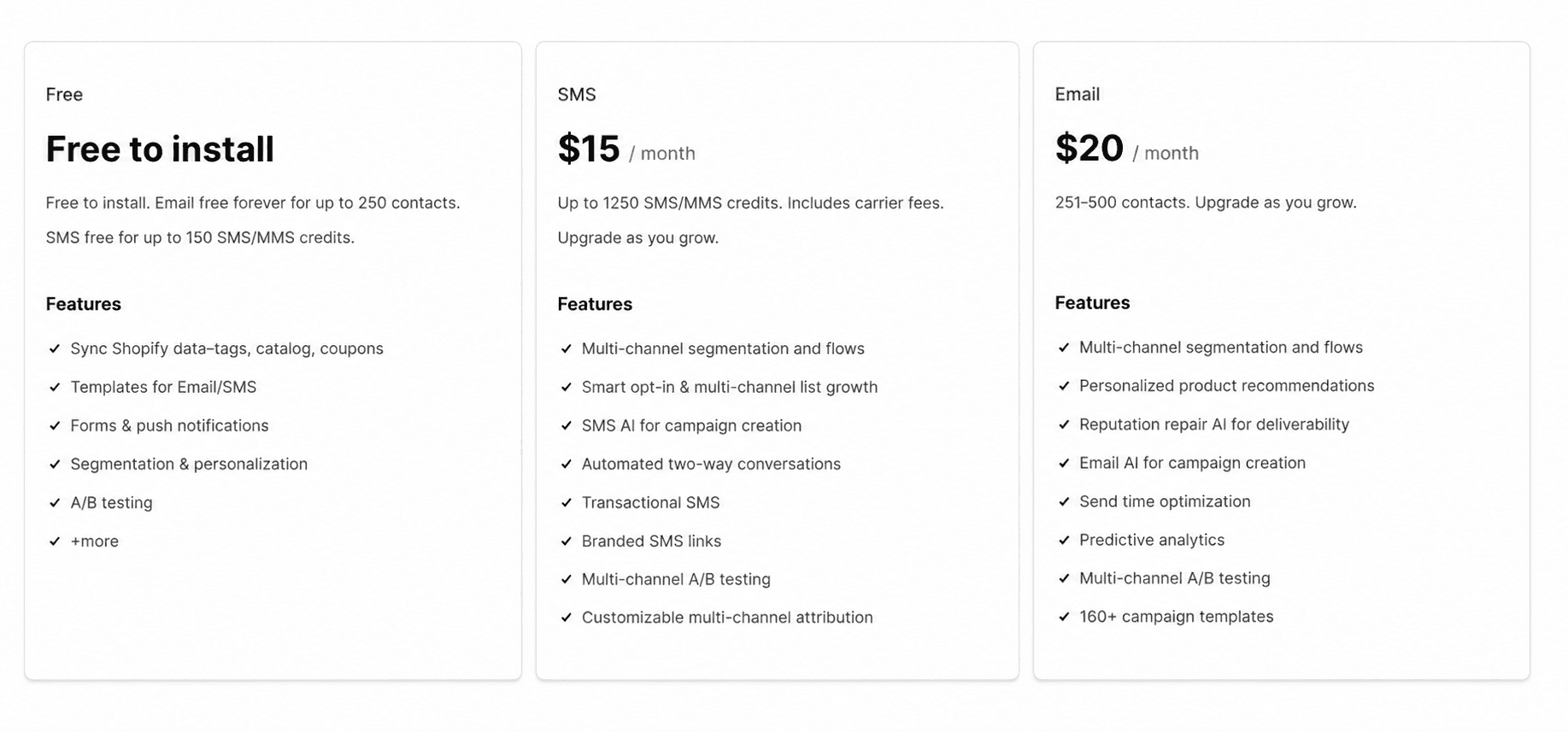
When to pick it: You have more than a few hundred email subscribers and repeat purchase or high consideration products where flow based retention meaningfully moves revenue. For very small stores, Shopify Email is often enough to start.
3. Gorgias (Best for Customer Support Automation)
What it automates: A helpdesk built around Shopify. Customer emails, chats, DMs, and social messages route into one inbox where agents can see the full order history and take Shopify actions (issue refunds, edit orders, cancel subscriptions) without leaving the ticket. Macros, rule based auto replies, and the AI Agent can auto-resolve common questions like "where is my order".
Pricing: Starter $10/month (50 tickets), Basic $60/month (300 tickets), Pro $360/month (2,000 tickets), Advanced $900/month (5,000 tickets), Enterprise custom. Agent seats are unlimited on Basic and above. AI Agent is billed separately at roughly $0.90–$1.00 per resolved conversation.
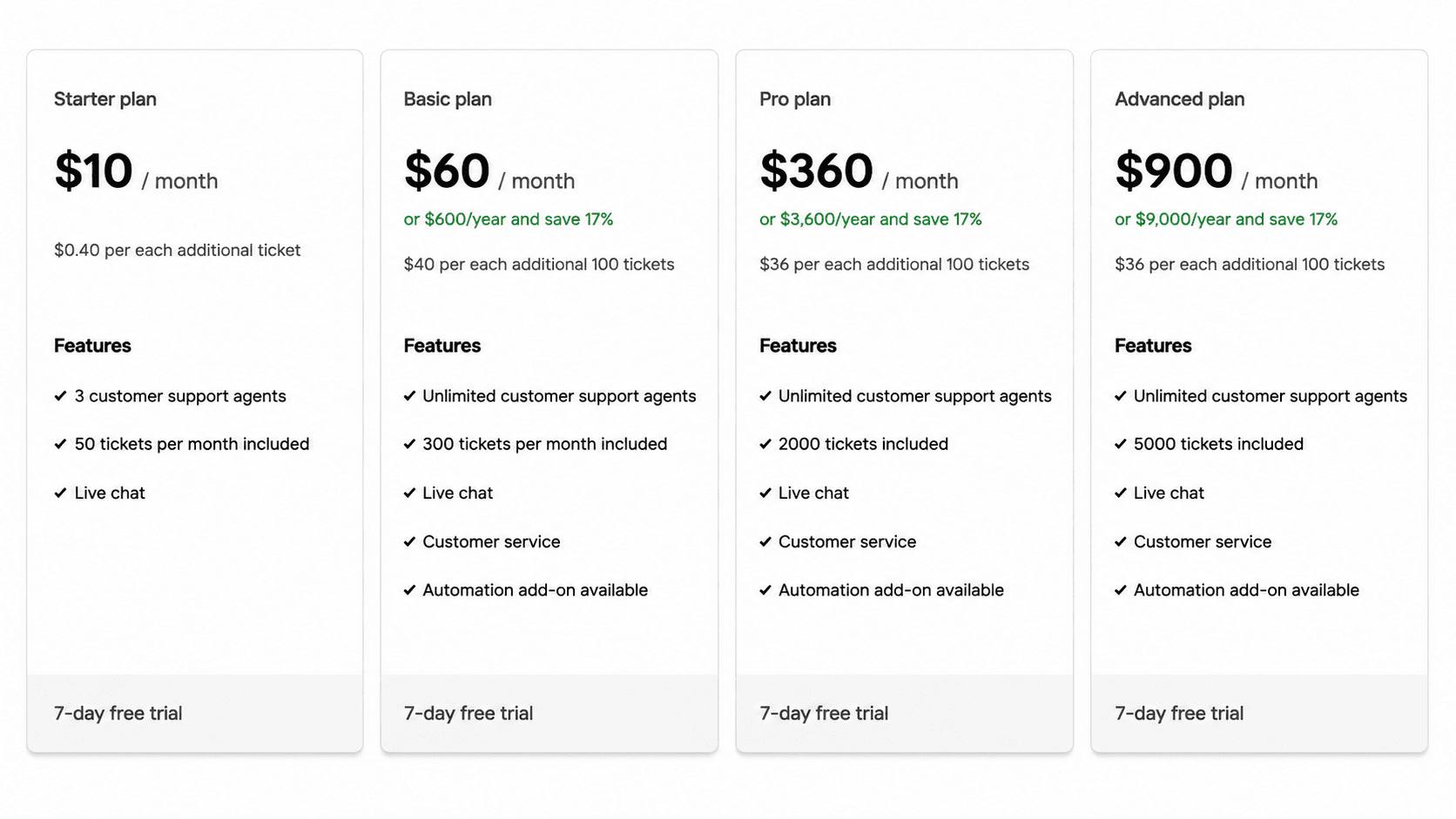
When to pick it: You are handling more than a few hundred support tickets a month and your team is losing time flipping between Shopify admin and email. Low volume stores can start with Shopify Inbox and defer Gorgias.
4. ShipStation (Best for Shipping and Fulfillment Automation)
What it automates: Multi-carrier shipping platform that pulls orders from Shopify, applies shipping rules (weight-based rates, split shipments, service upgrades), prints labels in batches, updates tracking back into Shopify, and handles returns. Connects to USPS, UPS, FedEx, DHL, and dozens of regional carriers.

Pricing: Starter $14.99/month, Standard plan $29.99/month, and Premium plan $349.99/month, higher plans scale to enterprise. Pricing is banded by shipment volume; verify the current tiers on ShipStation's site before committing.
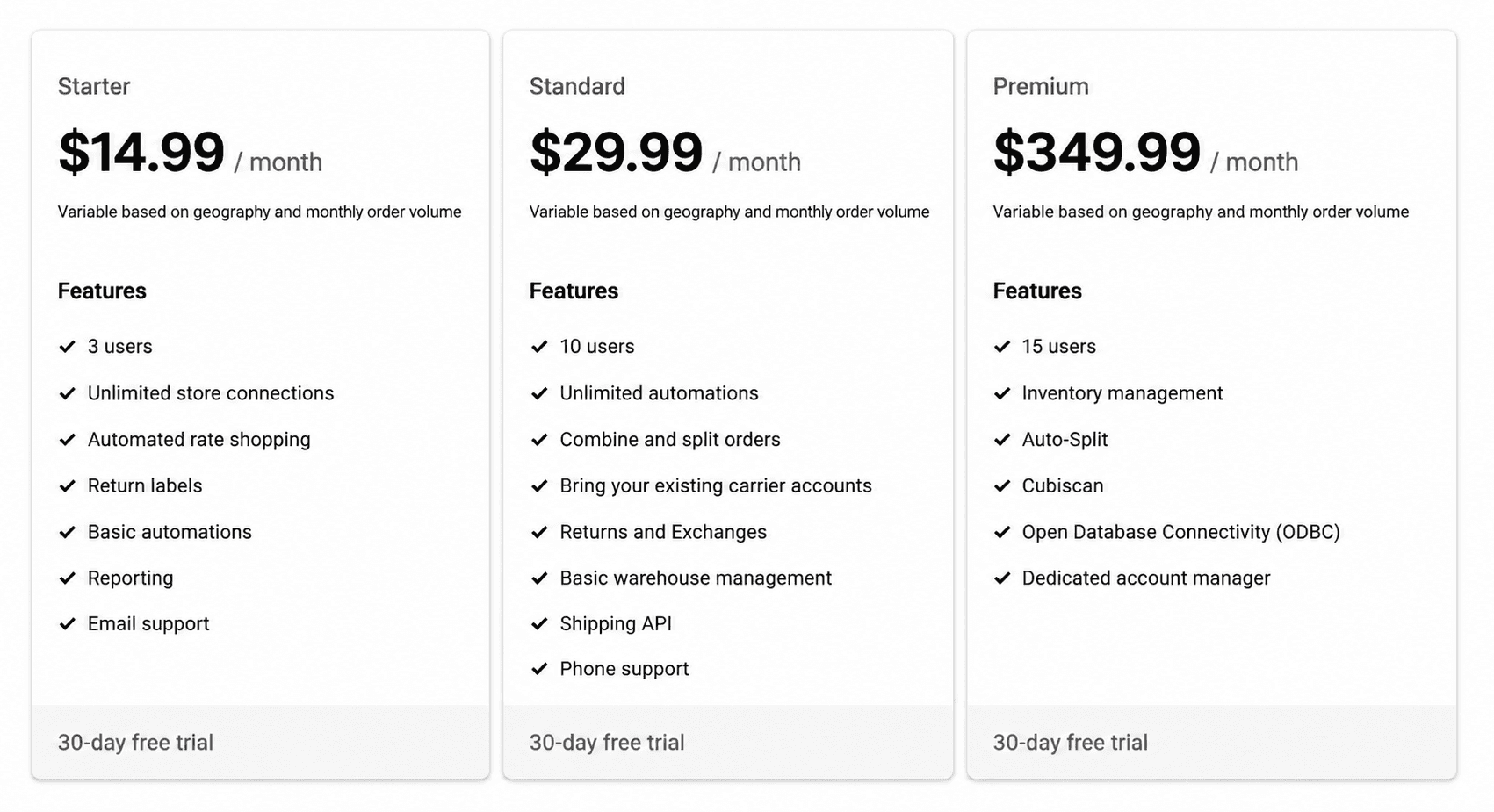
When to pick it: You ship enough orders that hand-generating labels in Shopify admin is eating time, or you use multiple carriers and need rate comparison and batch printing. Below 100 shipments a month, Shopify Shipping is usually enough.
5. Order Automator (Best for Order Level Rules and Tagging Automation)
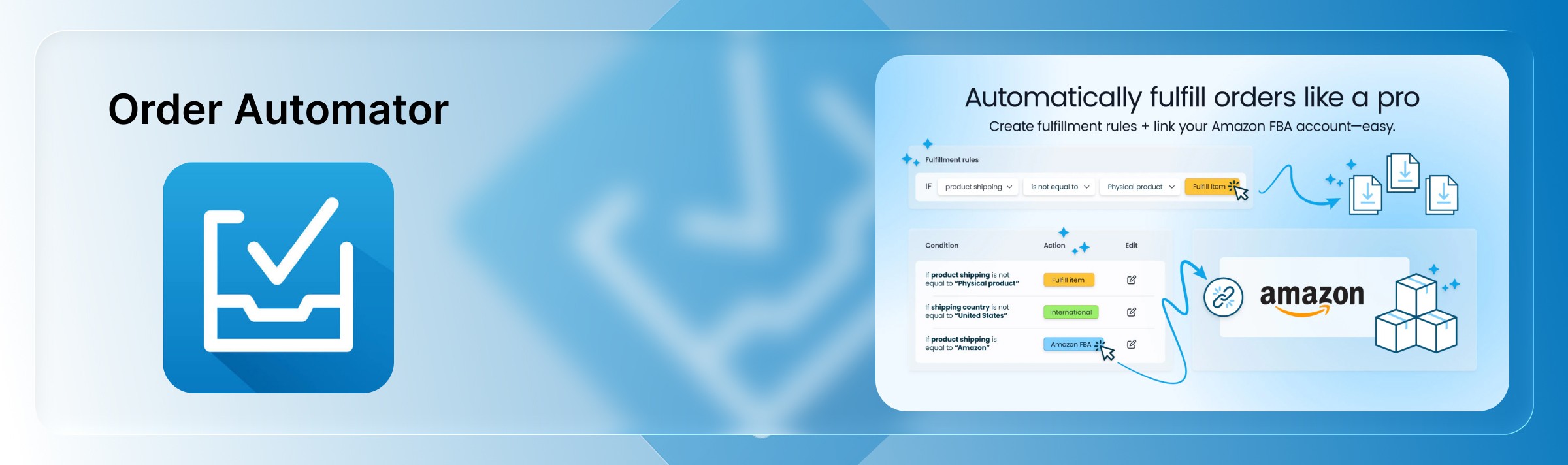
What it automates: Rule-based automations for individual orders: auto fulfill low risk orders, cancel orders with mismatched addresses, tag high value or repeat customers, alert your team on flagged orders, and route based on product mix. Sits alongside Shopify Flow and handles some of the more granular order logic Flow does not cover natively.
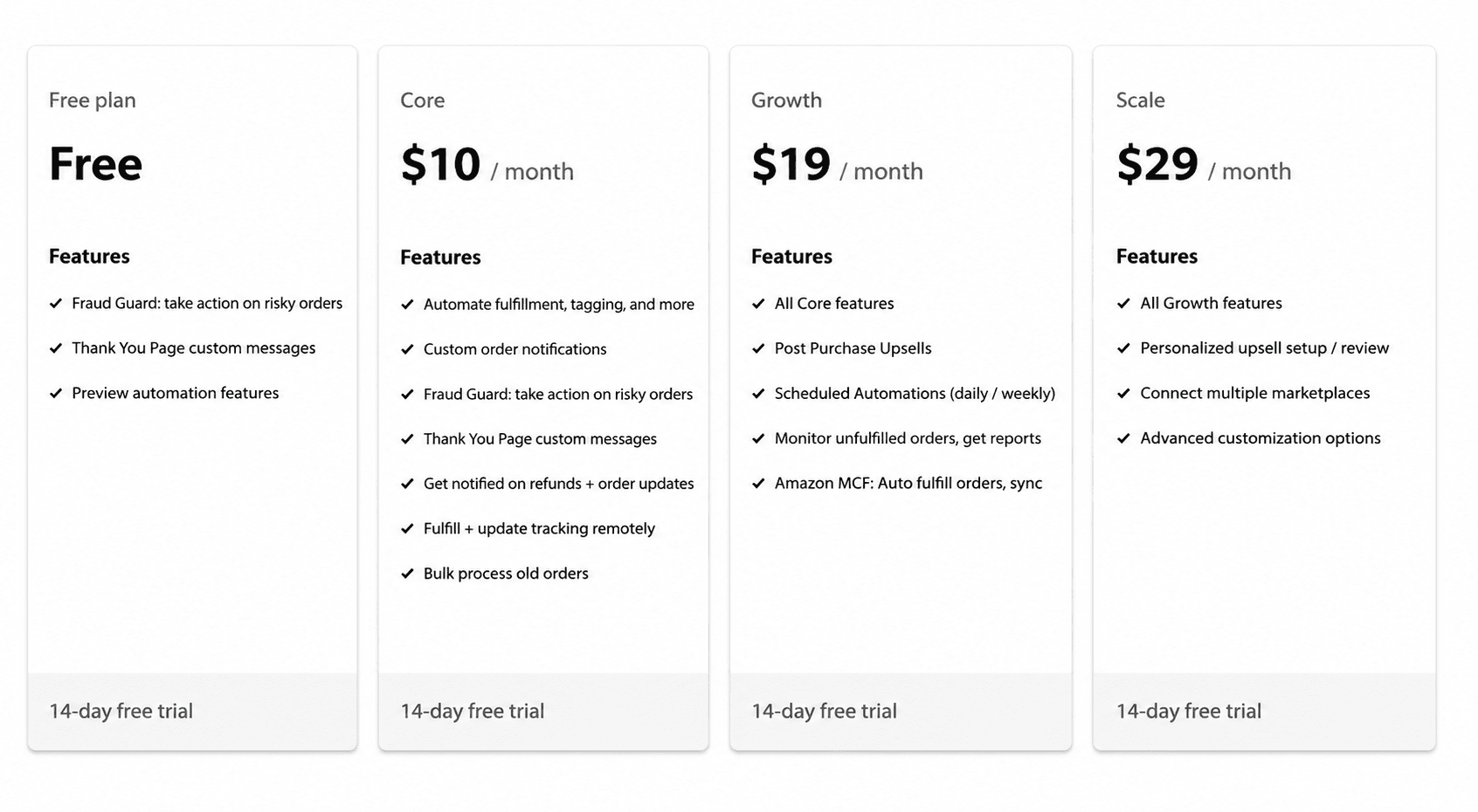
Pricing: Free plan available. Paid plans start at $10/month and scale to $19 and $29/month as the volume of monitored orders grows.
When to pick it: You have specific order-handling logic (fraud rules, custom fulfillment routing, tagging based on cart composition) that would take too many Shopify Flow steps or requires order-level polling.
6. Judge.me (Best for Reviews and User Generated Content Automation)
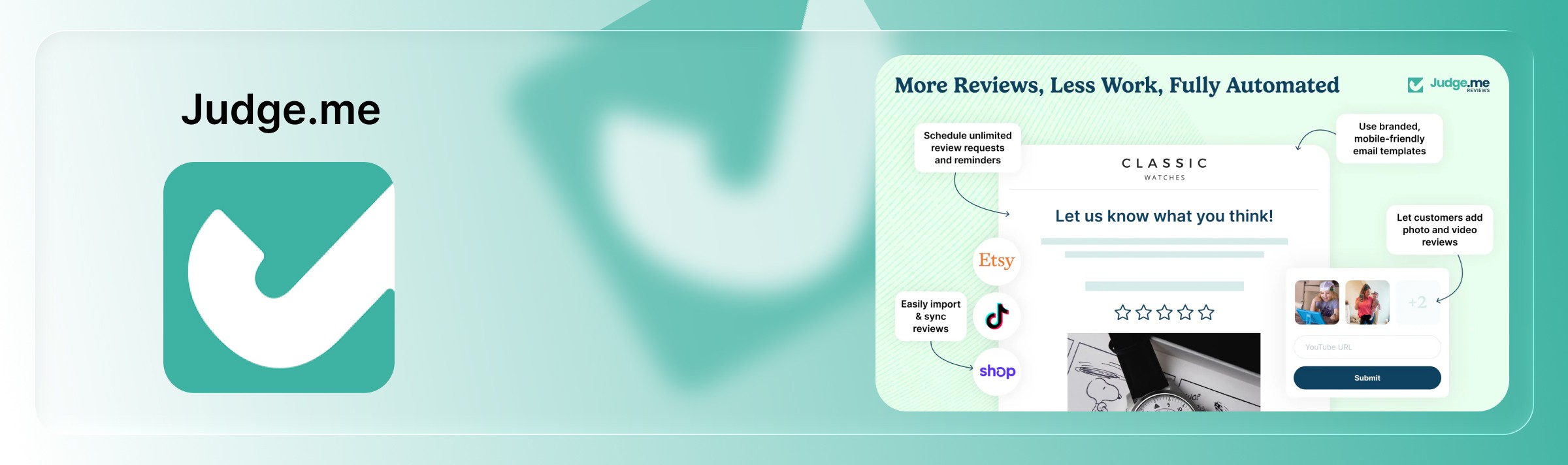
What it automates: Automated post purchase review requests, photo and video reviews, Q&A, and on site widgets. Emails the review request on your chosen delay, imports historical orders, publishes structured data review snippets that show star ratings in Google search results, and syncs to Google Shopping and Meta ads.
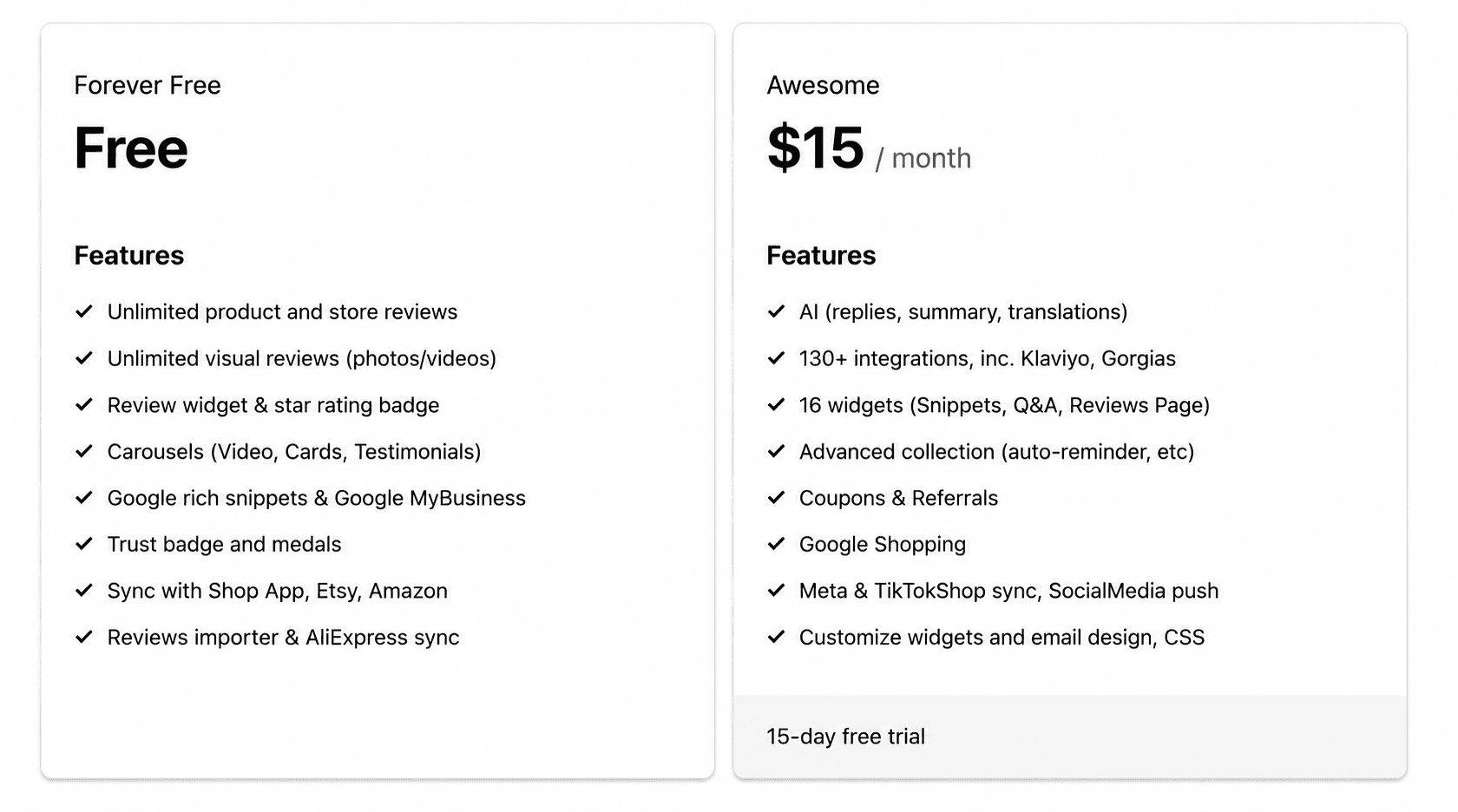
Pricing: Free plan with unlimited review requests and basic widgets. Awesome plan starts at $15/month and unlocks video reviews, deeper customization, and premium widgets.
When to pick it: You want authentic social proof on product pages and Google search results, without paying enterprise review platform prices. Works well for stores of any size.
7. ReConvert (Best for Post Purchase Upsells Automation)
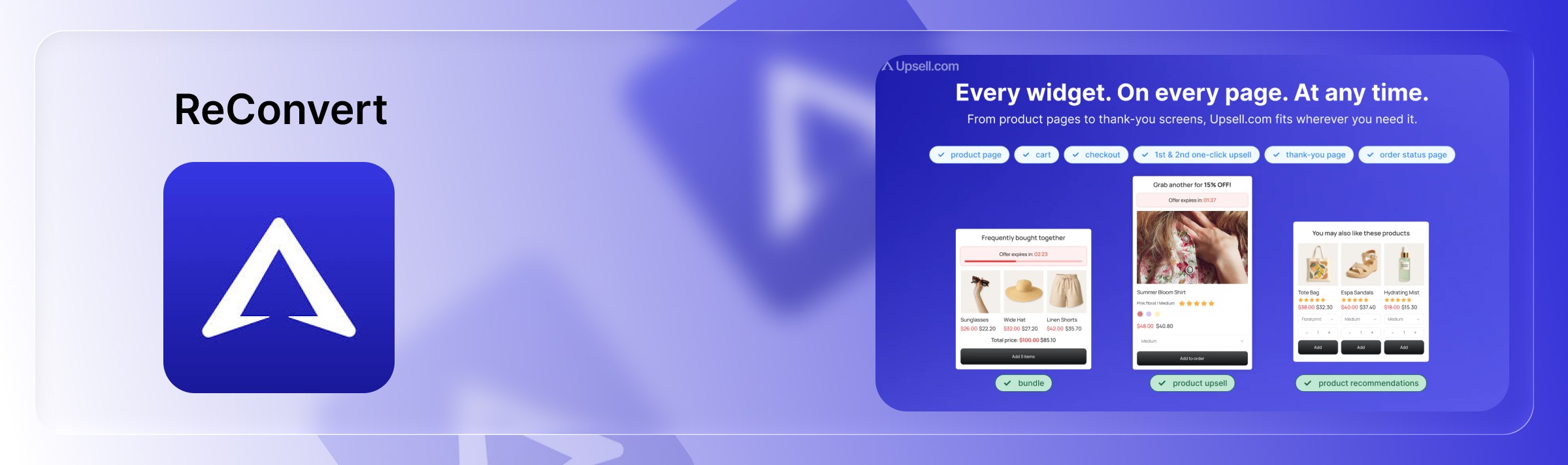
What it automates: Turns the standard Shopify thank-you page into a conversion asset. Rule based upsell offers (one-click add-on, bundle discount, subscription upgrade), post purchase surveys, birthday collection, and product recommendations trigger right after the initial purchase, when buyer intent is at its peak.
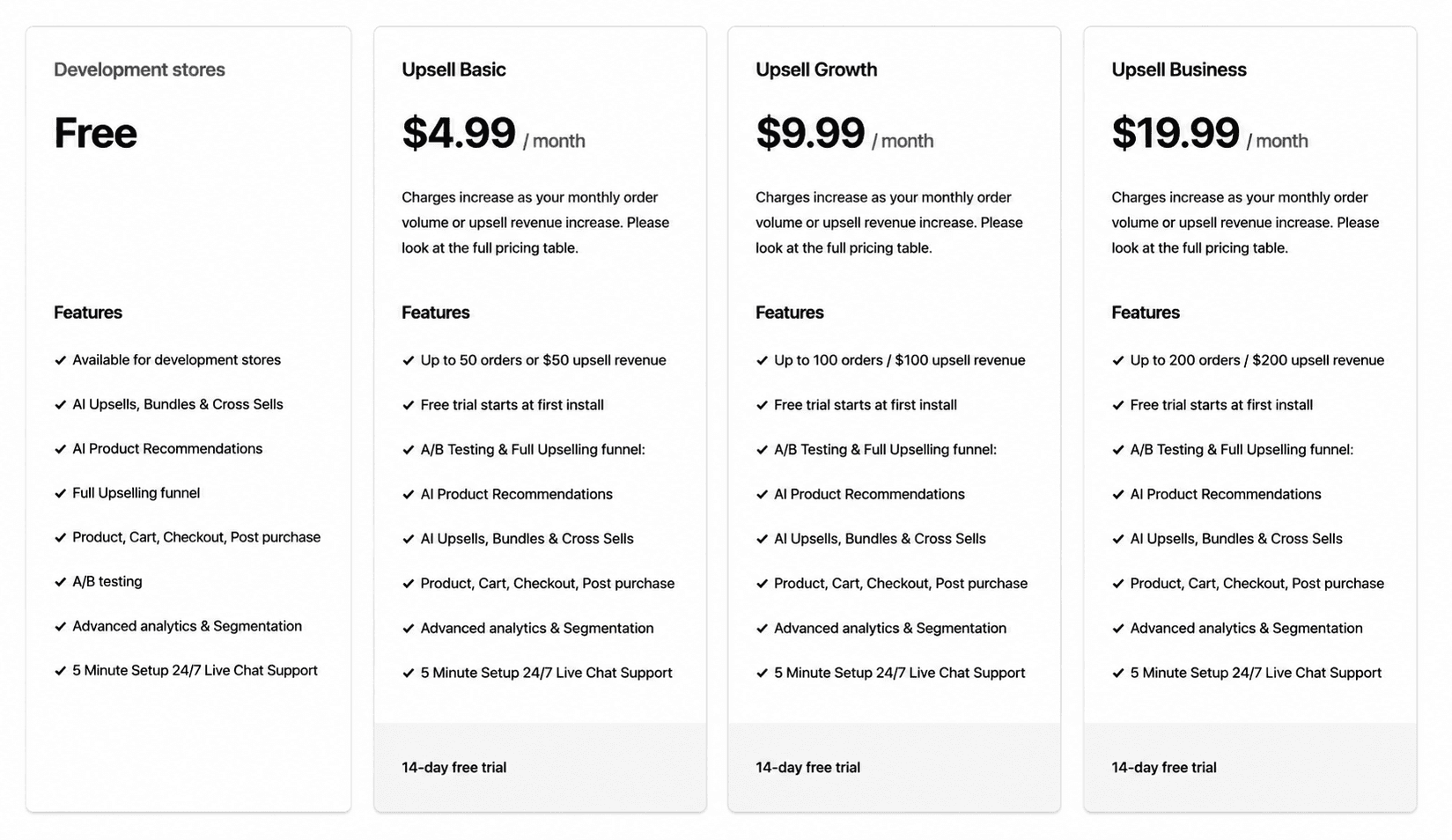
Pricing: Free plan for stores under 50 orders/month. Paid plans start at $4.99/month and scale to $9.99 and $19.99/month as monthly order volume grows.
When to pick it: You are running paid acquisition and every extra dollar of AOV meaningfully changes ROAS. Also useful for subscription businesses looking to upgrade cadence at checkout.
8. ChannelBay (Best for Multi Channel Inventory Sync Automation)
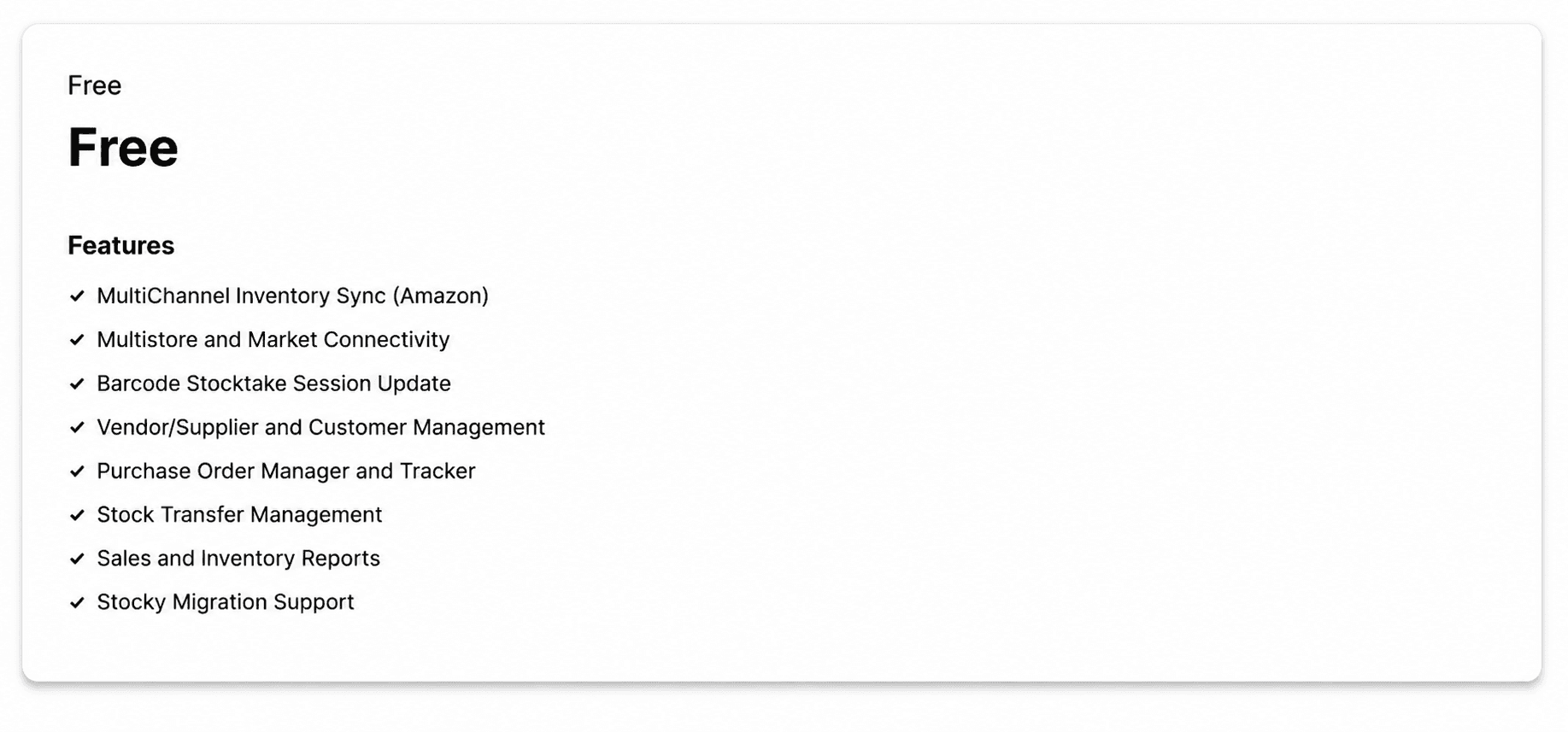
What it automates: Centralized inventory and order management across Shopify and Amazon, with purchase orders, supplier tracking, barcode stocktakes, and manual order creation for offline sales. Positioned as a multi-channel alternative to Stocky for merchants selling on more than one platform.
Pricing: Currently free during beta on the Shopify App Store; check the app listing for updated pricing after general availability.
When to pick it: You sell the same SKUs on Shopify and Amazon and are losing time reconciling stock across the two, or actively overselling.
9. QuickBooks Online (Best for Accounting and Bookkeeping Automation)
What it automates: Automated bookkeeping: Shopify sales, refunds, payouts, fees, and taxes sync into QuickBooks via the official Shopify Connector by QuickBooks (built by Intuit). Reconciles payouts against bank deposits, categorizes revenue and fees, and produces profit and loss statements, tax reports, and cash-flow views.

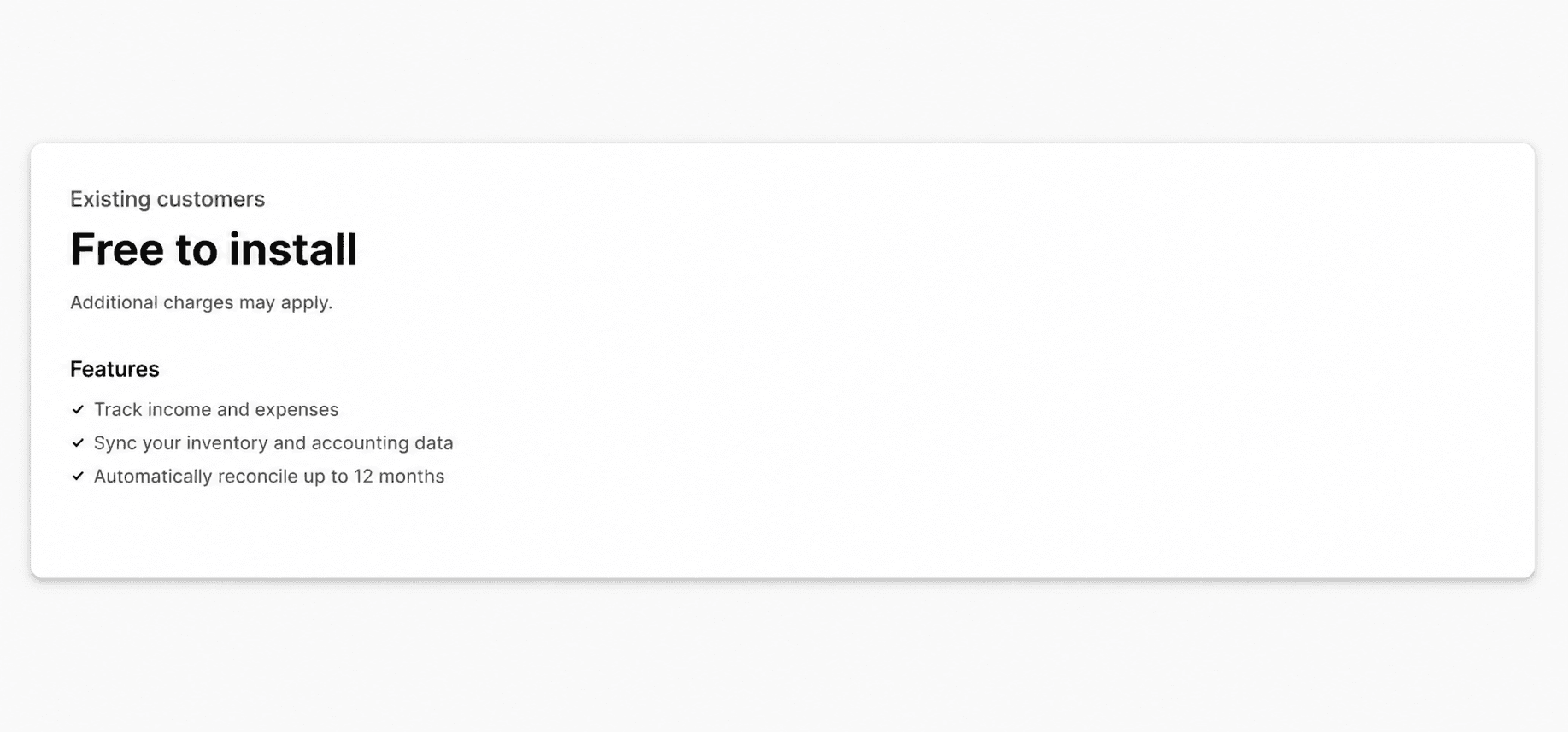
Pricing: QuickBooks Online is a paid product: Simple Start $35/month, Essentials $65/month, Plus $99/month in 2026. The Shopify Connector app itself is free for QuickBooks Online subscribers.
When to pick it: You are past the spreadsheet phase and want your accountant working from real time books instead of exports. High volume stores may need Link My Books or A2X on top for cleaner payout reconciliation.
10. Bloom (Best for Profit Analytics and Marketing Attribution)
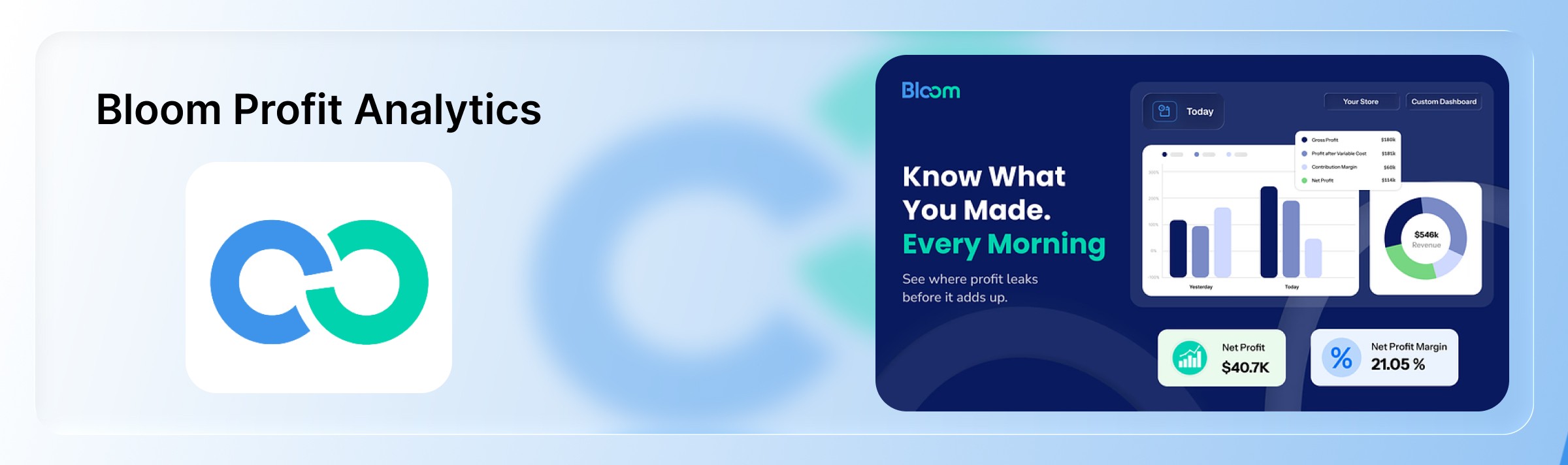
What it automates: Shopify-native profit analytics and attribution. Tracks contribution margin (CM1, CM2, CM3) across products, orders, and channels; pulls in ad spend from Meta, Google, TikTok, Snapchat, and Pinterest; consolidates email revenue from Klaviyo, Omnisend, and Mailchimp; and attributes revenue with the Bloom Pixel. Custom dashboards and Slack or email alerts on the metrics you care about, plus an MCP endpoint so you can query your own store data from AI assistants.
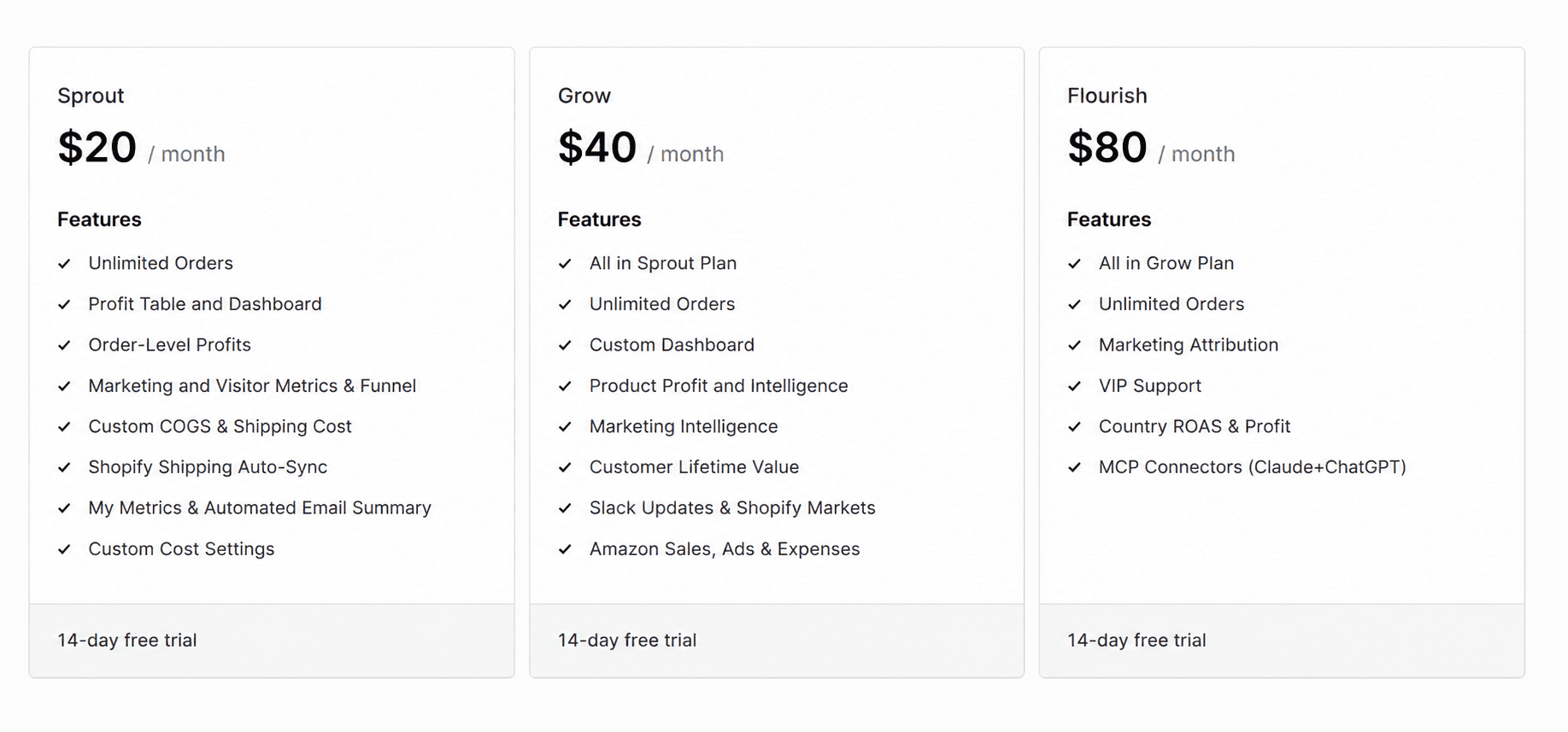
Pricing: Plans start at $20/month, with $40 and $80/month tiers as store volume grows. All plans include a 14-day free trial.
When to pick it: You want to see true profit (not just revenue) by product, campaign, and channel, and Shopify Analytics stops short of that. Especially useful for DTC brands running paid media across multiple ad platforms who need to know which channel is actually profitable.
Recommended Shopify Automation Stack
For most DTC Shopify stores in 2026, a working stack looks like this:
Workflow: Shopify Flow + Order Automator for order level rules.
Marketing: Klaviyo for email and SMS, Judge.me for reviews, ReConvert for post-purchase upsells.
Support: Gorgias, or Shopify Inbox at lower volumes.
Operations: ChannelBay for multi-channel inventory, ShipStation for shipping.
Finance: QuickBooks Online with the Shopify Connector.
Analytics: Bloom for profit and attribution on top of Shopify Analytics.
You do not have to install all of these on day one. Layer them in as the manual version of each job starts costing you real hours.
Common Mistakes to Avoid with Shopify Automation Tools
Running two apps that do the same job. Two review apps, two email tools, or two tagging engines will create conflicting automations and duplicate customer emails.
Turning automations on without testing. A single misconfigured rule can email your entire list, oversell a top SKU, or refund the wrong orders. Always test with a narrow filter first.
Never revisiting old workflows. Automations set up 18 months ago are usually referencing outdated tags, product IDs, or shipping rules. Audit at least quarterly.
Over scoping app permissions. Only grant the permissions each app actually needs. Fewer permissions means smaller blast radius if anything goes wrong.
Optimizing for revenue but not profit. Adding automations that lift top-line revenue without watching contribution margin can quietly erode profitability.
Final Thoughts
Shopify automation tools are no longer optional. The stores that grow fastest in 2026 are the ones that automate the boring parts of the operation (order handling, shipping, support, bookkeeping, email flows) and spend the reclaimed time on the parts that actually differentiate the brand: product, positioning, and creative.
The single metric that keeps all of this honest is profit. Every automation you add is only worth what it contributes to real, contribution margin adjusted profit not what it lifts in raw sales. That is where a dedicated profit analytics layer earns its place in the stack, alongside the workflow, marketing, support, and operations tools above. Bloom is built for exactly that: giving Shopify merchants a clear, real time view of what is actually making money so the rest of the automation stack can be tuned toward it.
Frequently Asked Questions
Are Shopify automation tools free?
Some are, most are not. Shopify Flow is free on every standard Shopify plan (Basic, Grow, Advanced, Plus). Klaviyo, Judge.me, ReConvert, and Order Automator each offer a free tier for very small stores. Gorgias, ShipStation, QuickBooks Online, and Bloom are paid, though several offer free trials.
What can you automate in a Shopify store?
Order tagging and routing, fraud checks, fulfillment, shipping label generation, inventory syncing across channels, review requests, email and SMS flows, customer support triage, refund handling, accounting sync, ad-platform reporting, and profit tracking. Most manual, repetitive tasks in a Shopify store can be automated end-to-end.
Is Shopify Flow available on all plans?
Yes, on every standard plan (Basic, Grow, Advanced, and Plus). Shopify Flow was Shopify Plus only until 2023, when Shopify made it available to all merchants at no extra cost.
Which Shopify automation tool is best for beginners?
Shopify Flow. It is free, native, and covers most order-level and customer-level automations a new store needs. Once you outgrow it, add Klaviyo for email, Judge.me for reviews, and Bloom for profit visibility, in that order.
Do I need multiple Shopify automation tools?
Yes, because no single app handles marketing, support, inventory, shipping, accounting, and analytics well. A typical DTC stack uses six to eight tools, each owning one job.
How do I know if my Shopify automation is actually working?
Measure it against profit, not activity. An automation is working if it either cuts hours off a repetitive task or lifts a metric that ties back to contribution margin (repeat purchase rate, AOV, on-time shipping, refund rate). Track those in a profit-analytics tool like Bloom rather than in the automation app's own dashboard, which usually only reports the vanity numbers.
Discover More