Meta ads attribution determines which ad gets credit when a customer converts. After Meta redefined click-through attribution in March 2026 and removed two attribution windows in January 2026, the numbers inside Ads Manager look different from what most advertisers are used to. Understanding how Meta now assigns conversions, which attribution models are available, and where the gaps are is essential for making accurate budget decisions in 2026.
Meta currently offers two main attribution approaches: Standard Attribution, which assigns credit based on clicks, views, and engagements within a time window, and Incremental Attribution, which estimates conversions that were directly caused by your ads. Both approaches interact with the attribution windows you select in Ads Manager, and both are affected by iOS privacy restrictions that limit user-level tracking.
By the end of this guide, you will understand every attribution type Meta offers in 2026, how the recent changes affect your reported numbers, and what you can do to close the gap between Ads Manager and your actual Shopify revenue.
What Changed in Meta Attribution in 2026
Two changes reshaped Meta attribution in early 2026. Both affect how conversions are counted and reported.
January 2026: Attribution Window Removals
On January 12, 2026, Meta permanently removed the 7-day view and 28-day view attribution windows from both Ads Manager and the Insights API. Advertisers who relied on the 7-day view window saw reported conversions drop by 15 to 30 percent overnight. Those using the 28-day window lost 30 to 40 percent of attributed conversions. No actual performance changed; the measurement window simply narrowed.
March 2026: Click-Through Redefined and Engage-Through Introduced
Before March 2026, Meta counted any click on an ad as a click-through interaction. That included link clicks, but also likes, shares, saves, comments, profile taps, and image expansions. If someone liked your ad on Tuesday and purchased on Friday, Meta reported that as a 7-day click-through conversion.
Starting in March 2026, click-through attribution only counts link clicks: clicks that send someone to your website, lead form, app, or Messenger. All other interactions (likes, shares, saves, comments, video views of five seconds or more) moved to a new attribution type called engage-through, which uses a 1-day window.
This means your click-through conversion count likely dropped after March 2026. That is not a performance decline. It is a reclassification. The conversions that were previously inflating your click-through numbers now appear under engage-through instead.
Meta Attribution Setting in 2026
The attribution setting in Meta Ads Manager is now 7-day click, 1-day engage-through, 1-day view. If you have not changed your attribution settings, this is what your campaigns are using. Understanding what each component measures is critical for interpreting your numbers correctly.
Meta Attribution Models Explained
Each platform has different attribution models, Meta offers two main attribution approaches. Standard Attribution assigns credit based on interactions within a time window. Incremental Attribution estimates whether conversions were caused by your ads.
Standard Attribution
Standard attribution assigns a conversion to an ad when someone interacts with it and completes the conversion event within the selected attribution window. Meta breaks standard attribution into three types.

Click-Through Attribution
Click-through attribution counts a conversion when someone clicks a link in your ad and completes the conversion within the selected window. Since March 2026, only link clicks qualify. A link click is one that sends the user to your website, lead form, app, or Messenger. Social clicks (likes, shares, saves, comments) no longer count.
Meta provides two click-through windows: 1-day click and 7-day click.
For example, with a 7-day click window, Meta attributes a purchase to the ad if someone clicks the ad link and completes the purchase within seven days.
View-Through Attribution
View-through attribution counts a conversion when someone sees your ad without clicking it and completes the conversion within one day. Meta provides only a 1-day view window. You can also select None if you do not want view-through conversions included in your reporting.
Engage-Through Attribution
Engage-through attribution is new as of March 2026. It counts a conversion when someone engages with your ad without clicking a link and completes the conversion within one day. Qualifying engagements include likes, reactions, comments, shares, saves, profile taps, image expansions, and watching at least five seconds of a video ad.
For example, someone watches 10 seconds of your video ad, visits your store through a Google search later that day, and makes a purchase. Meta attributes that conversion to the video ad under engage-through attribution.
Before March 2026, this category was called engage-view attribution and only covered video views of 10 seconds or more. The renamed and expanded engage-through type now captures all non-link-click interactions.
Incremental Attribution
Incremental attribution optimizes ad delivery for conversions that Meta estimates were caused by your ads, not just correlated with them. It uses a holdout testing methodology: Meta excludes a portion of your target audience from seeing your ad (the holdout group), continues showing ads to the rest (the control group), and compares conversion rates between the two groups.
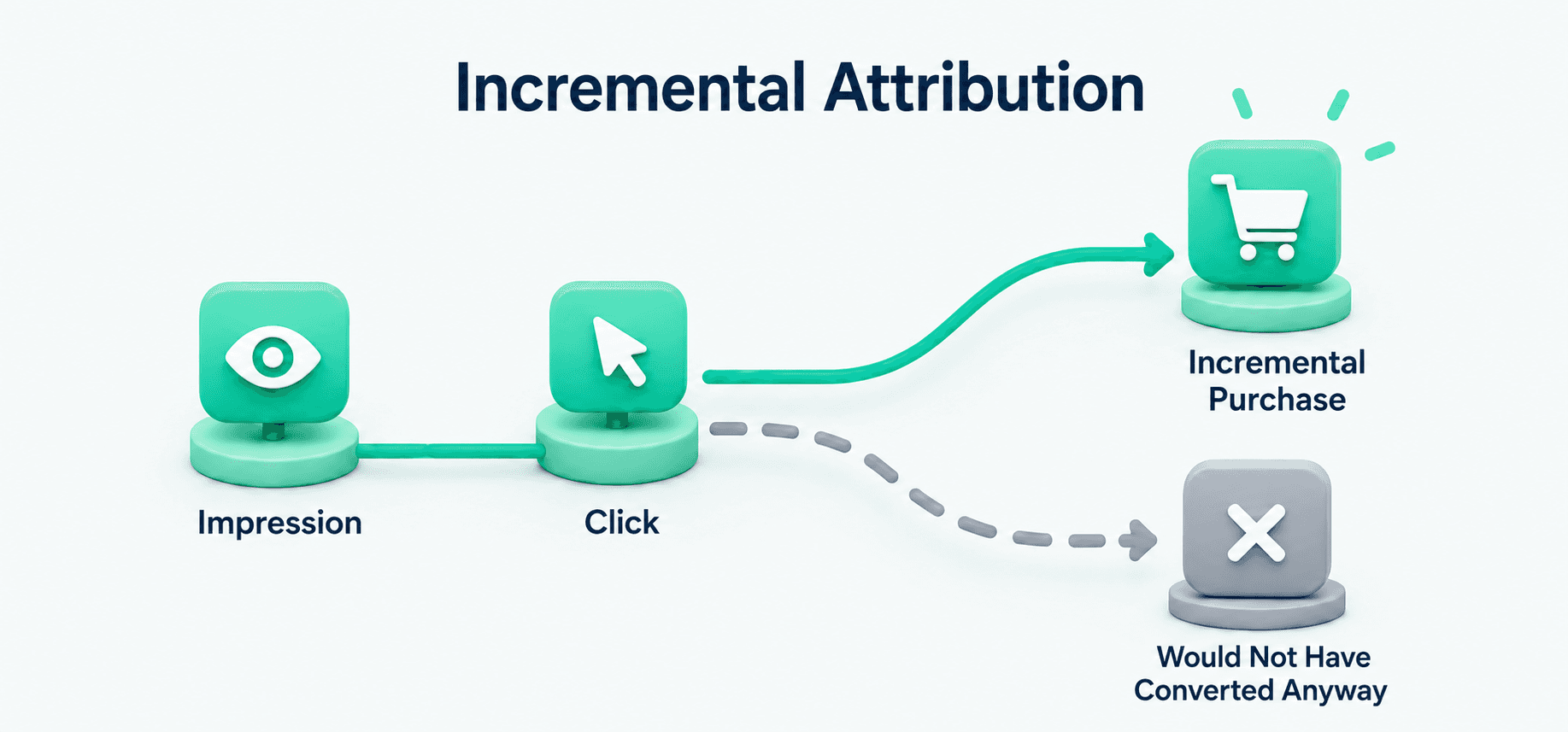
Meta uses two statistical techniques to measure lift: pre-post analysis (difference-in-differences) and baseline estimation. Together, these isolate the conversions that would not have happened without your ad.
You can view incremental attribution results in Ads Manager even when it is not selected as your optimization model. This lets you compare standard attributed conversions with Meta's estimated incremental conversions side by side.
Standard Attribution vs Incremental Attribution
Feature | Standard Attribution | Incremental Attribution |
Measures | Conversions attributed to your ads | Conversions caused by your ads |
Credit based on | Clicks, views, and engagements within windows | Holdout-tested incremental lift |
Best for | Day-to-day campaign optimization | Measuring true ad impact |
Use when | Tracking and optimizing performance | Validating whether ads drive additional revenue |
Limitation | Can over-credit conversions | Model-based estimates with limited availability |
Meta Attribution Windows Available in 2026
An attribution window is the time frame after an interaction during which Meta credits your ad with a conversion. The window you choose does not just affect reporting; it shapes how Meta's delivery algorithm optimizes. A 1-day window makes the algorithm optimized for fast converters. A 7-day window lets it capture longer decision cycles.
The windows currently available in Meta Ads Manager are:
Click-through: 1-day click or 7-day click.
Engage-through: 1-day engage-through (the only option).
View-through: 1-day view or None.
The 7-day view and 28-day view windows were permanently removed in January 2026.
How to Choose the Right Attribution Window
Match the attribution window to your product's buying cycle. For impulse or low-consideration products, 1-day click captures the immediate conversions that matter most. For higher-priced or research-heavy products where customers compare options over several days, 7-day click plus 1-day view is generally the better fit.
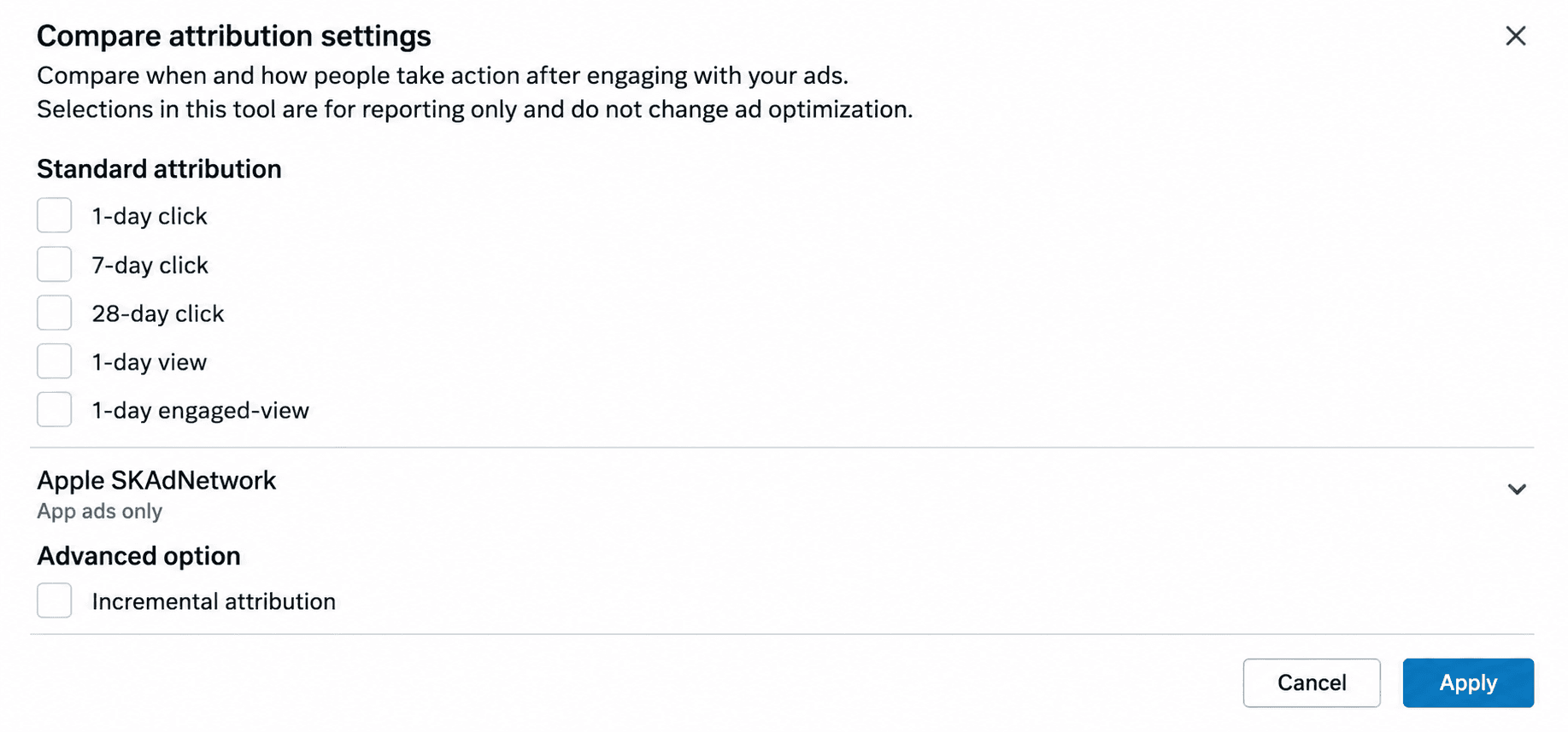
Use Compare Attribution Settings in Meta Ads Manager to see how different windows affect your reported conversions. Comparing 1-day click against 7-day click plus 1-day view shows you how much conversion credit falls outside the shorter window, which is a useful signal for understanding your customer's decision timeline.
How iOS Privacy Changes Affect Meta Attribution
After Apple introduced App Tracking Transparency (ATT) with iOS 14.5, users must explicitly allow apps to track their activity across other apps and websites. When users opt out, Meta loses access to user-level data, and attribution accuracy drops significantly. For brands where 40 to 50 percent of traffic comes from iOS devices, this means Meta's algorithm cannot optimize what it cannot see.
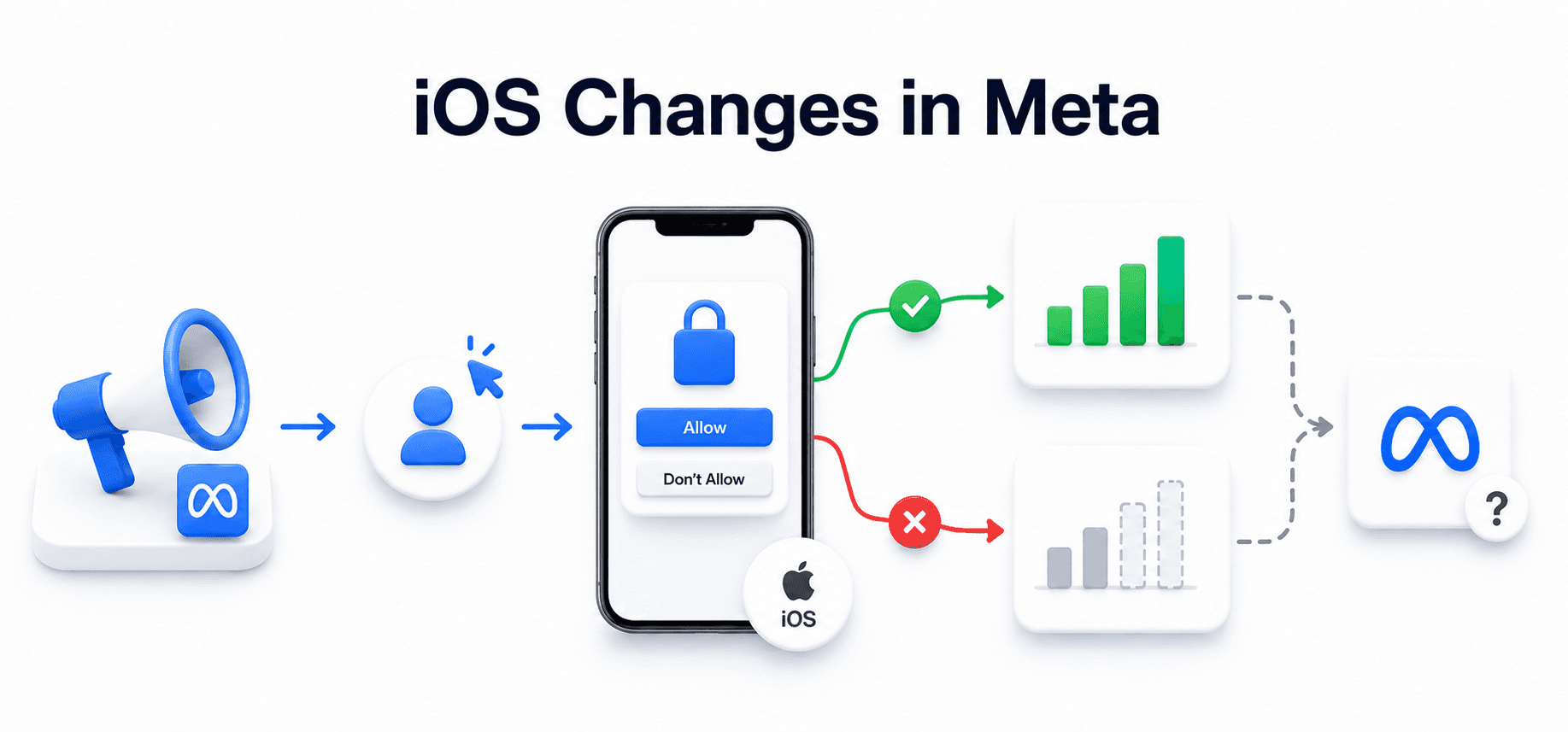
To continue measuring eligible iOS app campaigns, Meta relies on Apple's SKAdNetwork (SKAN). The process works as follows:
1. A user sees a Facebook or Instagram ad.
2. The user taps the ad and installs the app.
3. Apple determines whether the install qualifies for attribution.
4. Apple sends an anonymized postback to Meta through SKAdNetwork.
5. Meta displays the results in Ads Manager.
Unlike standard attribution, Meta does not receive detailed information about the individual user. Apple provides privacy-preserving, aggregated data instead.
SKAdNetwork applies to eligible iOS app install campaigns only. It does not measure website conversions.
Where Meta Attribution Falls Short
Meta attribution is not a complete picture of campaign performance. Several structural limitations affect reporting accuracy.
Reporting delays: SKAdNetwork postbacks can arrive hours or days after the actual conversion, causing numbers to appear lower in real time.
Limited detail: Apple provides aggregated data, not user-level conversion data, which limits Meta's ability to optimize delivery for iOS users.
Different attribution rules: Apple's attribution methodology differs from Meta's, so SKAdNetwork numbers rarely match Meta Pixel or Conversions API (CAPI) numbers.
Self-reporting bias: Meta's attribution model can only see Meta touchpoints. It cannot account for channel overlap or cannibalization. A conversion attributed to a Meta retargeting ad may have been driven primarily by organic search or email.
Statistical modelling: When conversion data is missing because of browser restrictions, cookie consent, ad blockers, or iOS privacy controls, Meta uses modelled estimates to fill gaps. These are directionally useful but not precise counts.
How to Reduce Meta Attribution Gaps
No attribution model is perfect, but these practices help narrow the gap between what Ads Manager reports and what actually happened in your store.
Implement Meta Conversions API (CAPI)
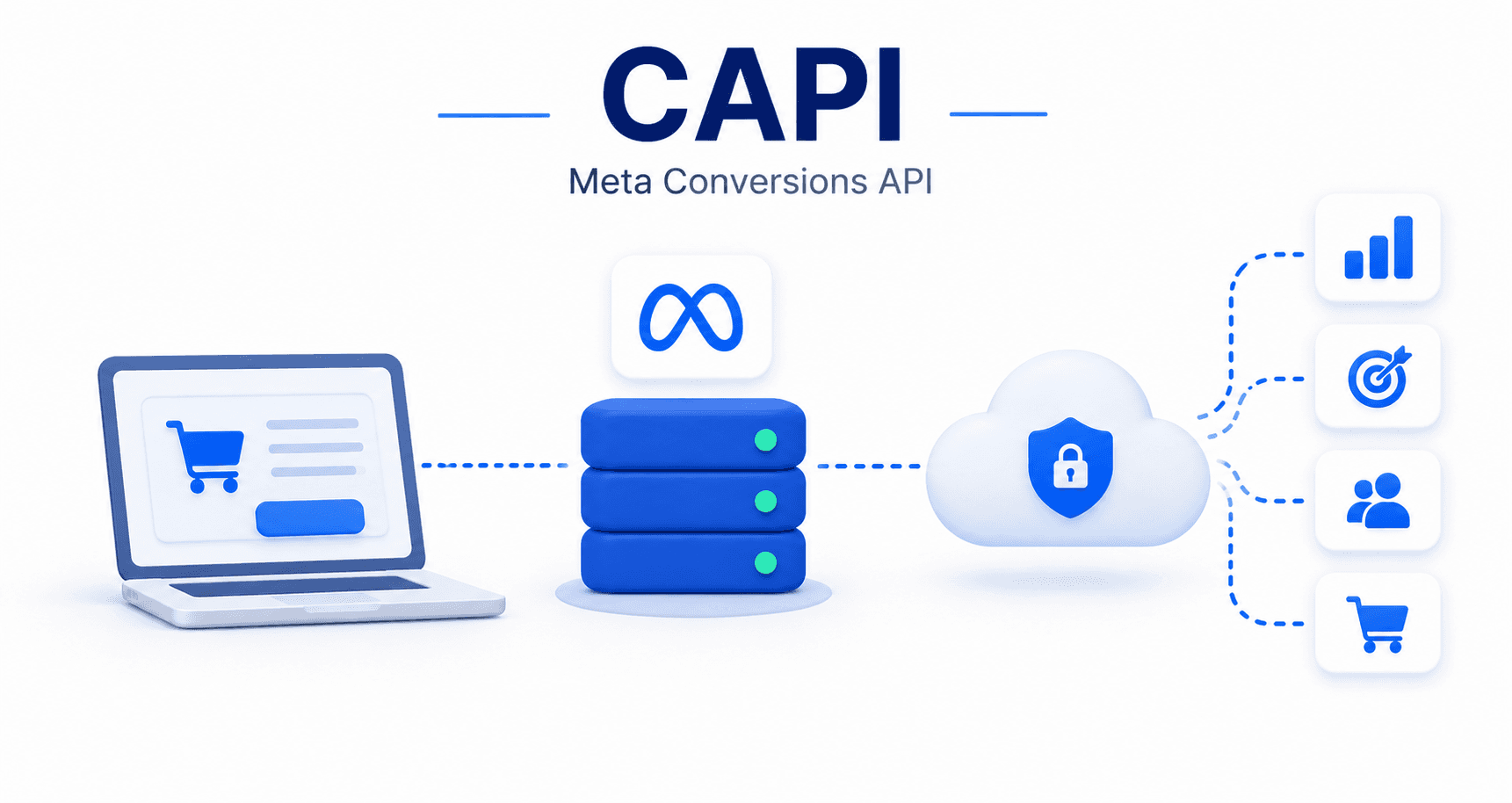
The Meta Pixel captures browser-side events, but browser restrictions, ad blockers, and cookie-consent prompts can block those signals before they reach Meta. The Conversions API sends server-side events directly to Meta, bypassing browser limitations. Running both together ensures Meta receives more complete conversion data, which improves both reporting accuracy and delivery optimization.
Improve Your Dataset Quality Score
Pass customer information such as email addresses, phone numbers, and other supported identifiers (collected with appropriate consent) through the Conversions API. Meta uses this data to match conversions across devices and sessions. Aim for a Dataset Quality Score above 6 out of 10 in Events Manager. A higher score means better event matching and more accurate attribution.
Compare Attribution Settings
Use the Compare Attribution Settings feature in Ads Manager to view how different windows affect your reported numbers. This shows you how sensitive your performance data is to the attribution window you have selected and helps you identify whether a different window better reflects your actual sales cycle.
Use Multi-Touch Attribution for Full-Funnel Visibility
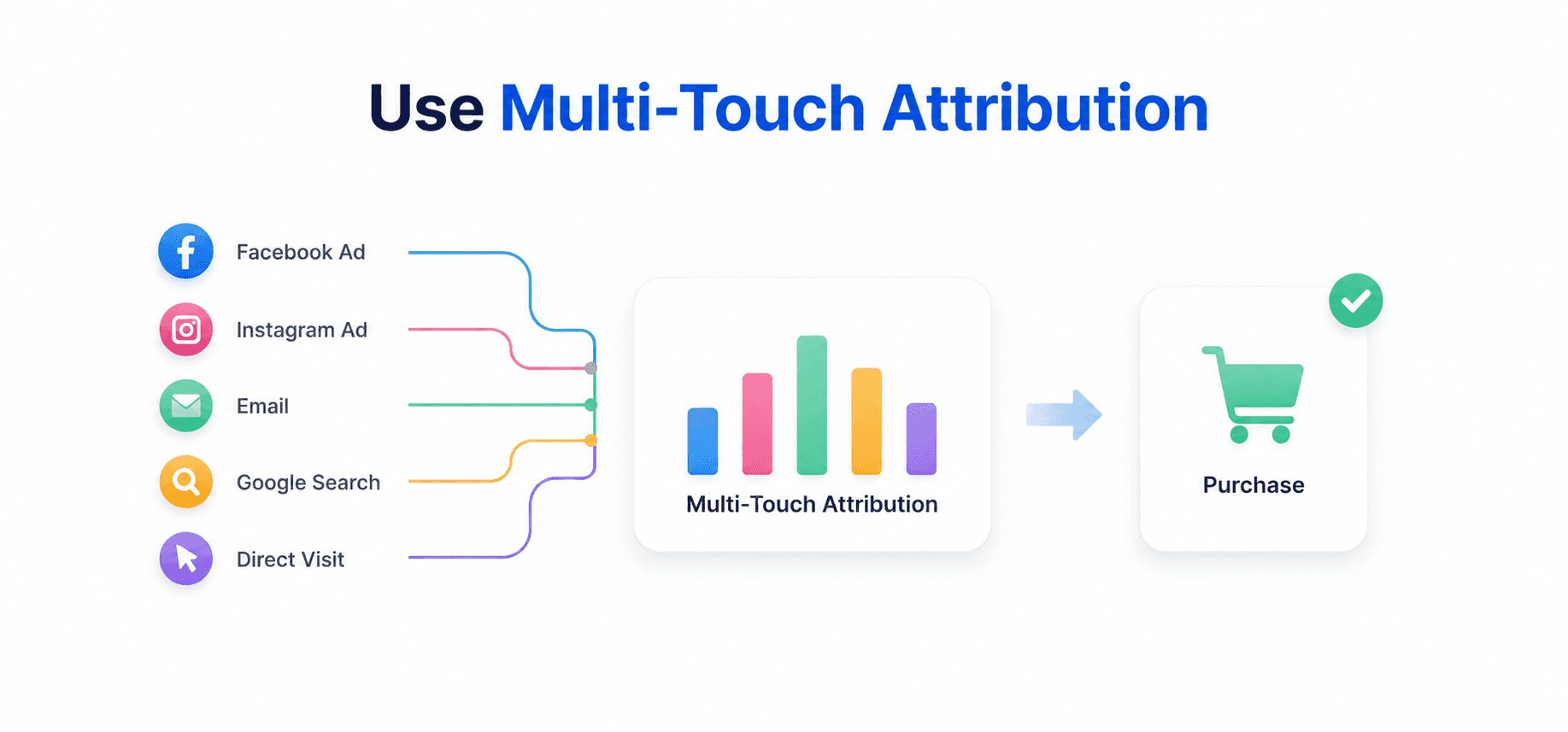
Meta's built-in attribution only sees Meta touchpoints. Multi-touch attribution (MTA) tracks every interaction across all channels that leads to a conversion, giving you a fuller picture of how organic search, email, paid search, and Meta ads work together to drive revenue. This helps you allocate budget based on actual channel contribution rather than relying on each platform's self-reported numbers.
Go Beyond Platform-Reported Numbers
Meta Ads Manager should not be your only source of truth for ad performance. Compare its numbers with your Shopify orders, review different attribution settings, and use server-side tracking to reduce data loss.
Bloom provides an additional attribution layer using its first-party pixel, server-side events, and Shopify data. It supports six attribution models (Last Non-Direct, Last Click, First Click, Any Click, Linear All Channels, and Linear Paid Channels) so you can see how different touchpoints receive credit for each sale. Beyond attribution, Bloom shows real profit after accounting for product costs, shipping, transaction fees, and ad spend, giving you the complete picture that platform-reported ROAS cannot.

Frequently Asked Questions
What is the default attribution setting in Meta Ads Manager in 2026?
The default is 7-day click, 1-day engage-through, 1-day view. This means Meta credits your ad with a conversion if someone clicks a link within seven days, engages without clicking a link within one day, or views the ad without interacting within one day.
What changed about Meta click-through attribution in March 2026?
Meta narrowed click-through attribution to count only link clicks (clicks that send someone to your website, app, lead form, or Messenger). Social clicks like likes, shares, saves, and comments were moved to a new engage-through attribution type with a 1-day window.
What is engage-through attribution on Meta?
Engage-through attribution counts conversions when someone interacts with your ad without clicking a link (for example, liking, commenting, sharing, or watching at least five seconds of video) and converts within one day. It replaced the older engage-view attribution in March 2026.
How does Meta incremental attribution work?
Incremental attribution uses holdout testing. Meta excludes a portion of your audience from seeing your ad, compares conversion rates between the holdout group and the group that saw the ad, and estimates the conversions that were directly caused by the ad rather than conversions that would have happened anyway.
Why do Meta Ads Manager numbers not match my Shopify orders?
Several factors create the gap: different attribution windows, iOS privacy restrictions that block tracking, browser-based ad blockers, cookie-consent opt-outs, and the fact that Meta can only see Meta touchpoints. Using the Conversions API alongside the Meta Pixel and comparing results with your Shopify data helps narrow this discrepancy.
Discover More