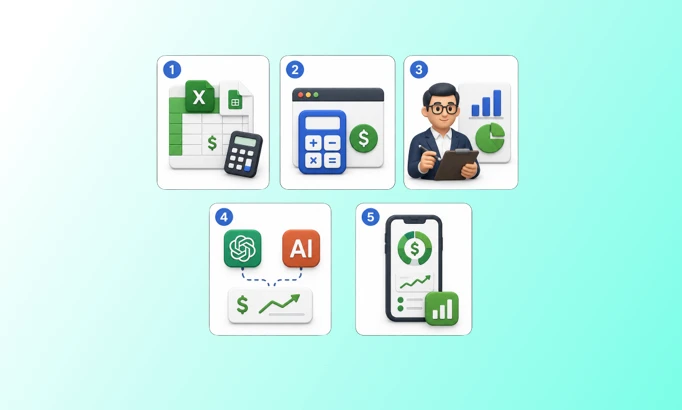


Everyone talks about tracking and calculating profit in Shopify. Fewer people tell you the honest part: there isn't one way to do it. There are several, and they trade off against each other on speed, accuracy, cost, and how much of your week they eat.
So before you copy another formula off a calculator page, it's worth knowing the actual menu. Below are the five reliable ways merchants calculate Shopify profit, what each one is good at, and where each one quietly falls apart. Then we'll cover the views that matter most once you can produce the number at all: profit over time, by product, by order, by campaign, and by country.
One thing to settle first, because every method depends on it.
TL;DR
There are five practical ways to calculate Shopify profit: spreadsheet, free calculator, bookkeeper/CFO, AI connector, and a dedicated profit app.
The first four give you a number at a single moment. Only a dedicated app keeps it live as costs and ad spend change.
Real profit means peeling back costs in layers: gross profit, contribution margin after ads and fulfillment, then net profit.
Pick by need: spreadsheets and calculators for early-stage or one-off checks, a CFO for clean books, AI for ad hoc analysis, an app for daily accuracy at scale.
Once you can calculate it, slice profit by time, product, order, campaign, and country to see where money is actually made and lost.
What "Profit" Actually Means in Shopify
Profit is what's left after every cost, not what shows up as revenue in your Shopify admin. The gap between the two is bigger than most merchants expect. In ecommerce, gross margin averages around 41% while net margin averages closer to 10%. That 30-point spread is shipping, ad spend, refunds, discounts, transaction fees, and operating costs, and it's exactly the part a revenue number hides.
So "calculating profit" really means peeling costs back in layers:
Gross profit : revenue minus the cost of the product (COGS).
Contribution margin after fulfillment and ads (CM): CM minus shipping, handling, payment fees, and the ad spend that brought the order in. This is the day-to-day number that tells you whether a sale actually made money.
Net profit (CM and below): CM minus operating expenses like software, labor, and rent. The closest thing to what you keep.
Every method below is just a different way of doing that same arithmetic. The difference is who does it, how fast, and whether it stays accurate after the numbers change.
The 5 methods to calculate Shopify profit
Method 1: Manual Spreadsheet (Excel Or Google Sheets)

A spreadsheet is the free, flexible starting point: you export your Shopify orders, drop in your product costs and expenses, and build the formulas yourself. It's the method almost every merchant starts with, and for a store doing a handful of orders a day, it's genuinely enough.
The strength is control. You decide exactly how COGS, shipping, and fees roll up, and you can model anything.
The weakness shows up at scale. A spreadsheet is a snapshot, not a live feed. The moment your ad spend changes or you renegotiate a supplier cost, the sheet is stale until someone updates it by hand. Multi-channel ad spend, refunds landing days later, and per-order shipping costs turn a clean tab into a maintenance job. Most merchants quietly stop updating it around the time the store gets busy enough to actually need it.
Best for: early-stage stores, one-off pricing checks, and founders who want to understand the mechanics before automating them.
Method 2: A Free Online Profit Calculator
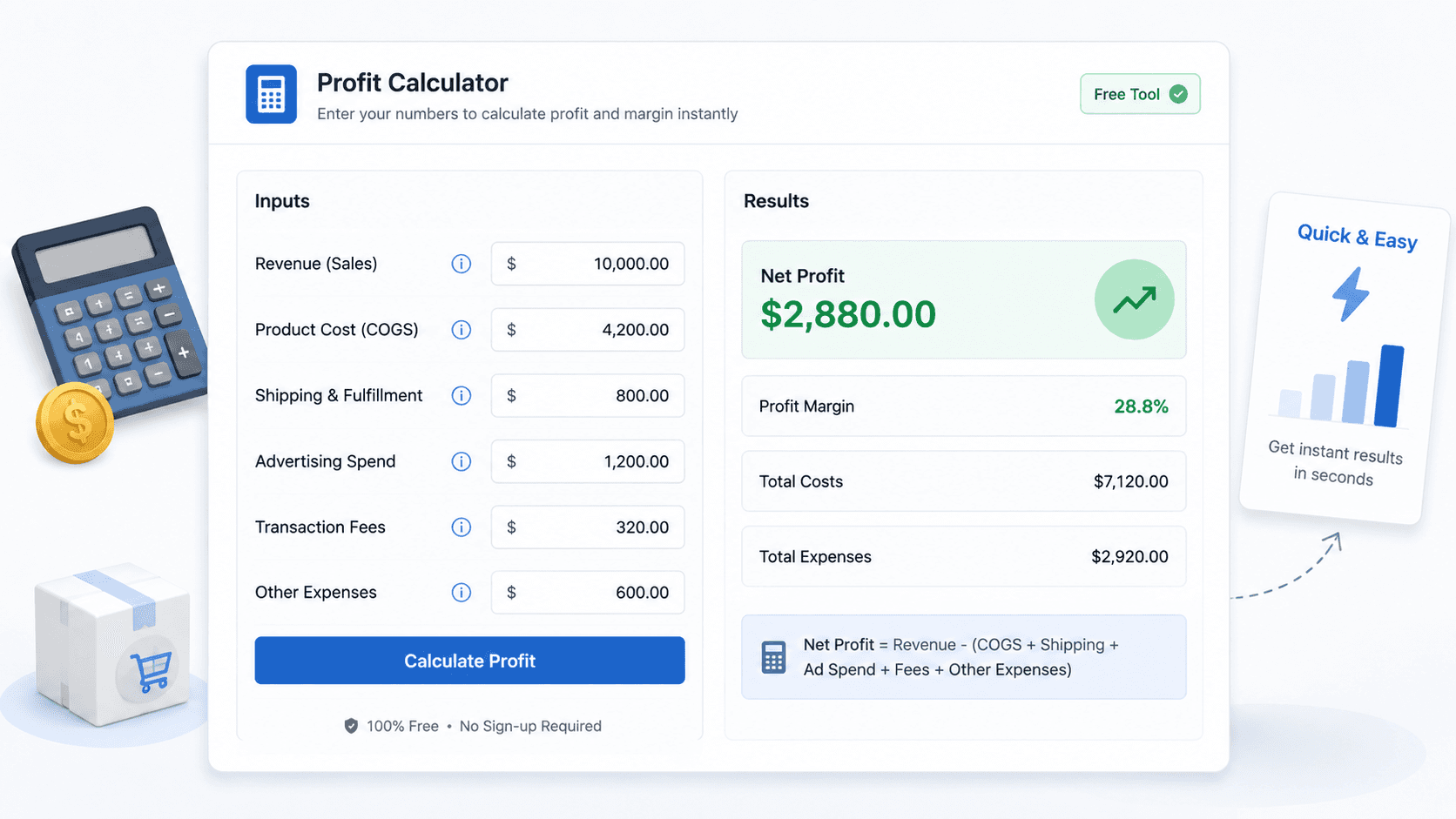
A free calculator gives you an instant answer for one scenario. You punch in revenue, product cost, shipping, ad spend, and fees, and it returns net profit and margin in seconds. For a quick gut check on a single product or a pricing decision, it's hard to beat the speed.
The catch is that it's disconnected and one-shot. As one popular tool admits about its own results, calculations aren't saved between sessions, it handles one product at a time, and it doesn't integrate with Shopify, so you re-enter everything by hand each visit. It's a fine pocket calculator. It is not a system for knowing your store's profit on an ongoing basis.
Best for: pre-launch pricing, "can I afford this discount" checks, and modeling a single product before you scale spend on it.
Method 3: A Bookkeeper, Data Analyst, Or Fractional CFO

Hiring a person is the most tailored method, and for clean month-end financials, it's the gold standard. A bookkeeper or fractional CFO reconciles real numbers, handles tax treatment, and gives you statements you can take to a lender or investor without flinching.
The trade-offs are cost and speed. Good financial help is expensive, and it operates on a monthly cadence. You typically learn that March lost money in late April, which is useful for accounting and nearly useless for catching a campaign that's bleeding cash this week. The reporting is accurate but backward-looking, and it rarely reaches down to per-product or per-campaign profit unless you pay for that depth specifically.
Best for: clean books, tax compliance, fundraising, and the monthly or quarterly view of the business.
Method 4: AI Connectors (Claude, ChatGPT)
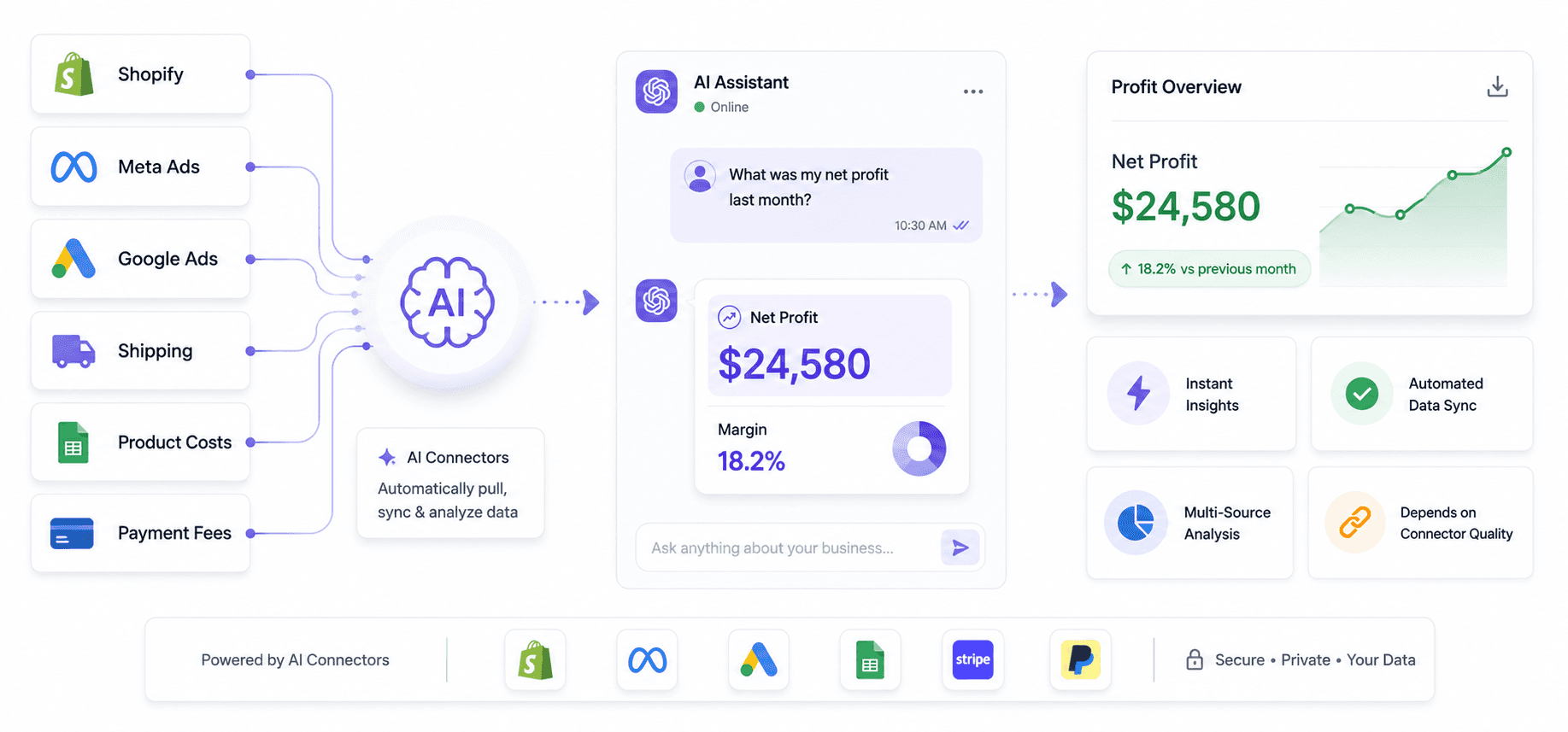
You can also hand your data to a general-purpose AI. Export your Shopify orders to a CSV, paste or upload it into Claude or ChatGPT, give it your cost assumptions, and ask it to calculate profit and explain what's driving it. For ad hoc questions ("which of these 40 orders lost money after shipping?"), it's fast and surprisingly capable, and you can ask follow-ups in plain English.
The limits are real, and they all come back to one thing: the answer is only as good as the data you feed it. There's no live connection to your store, so you're hand-feeding exports that go stale immediately. Large catalogs and long date ranges run into context limits. And the model only knows the costs you remembered to include, so a forgotten fee quietly corrupts the result. It's a powerful scratchpad, not a source of truth.
Best for: One-time analysis of an export, sanity-checking a spreadsheet, and explaining your own numbers back to you in plain language.

Method 5: A Dedicated Profit App
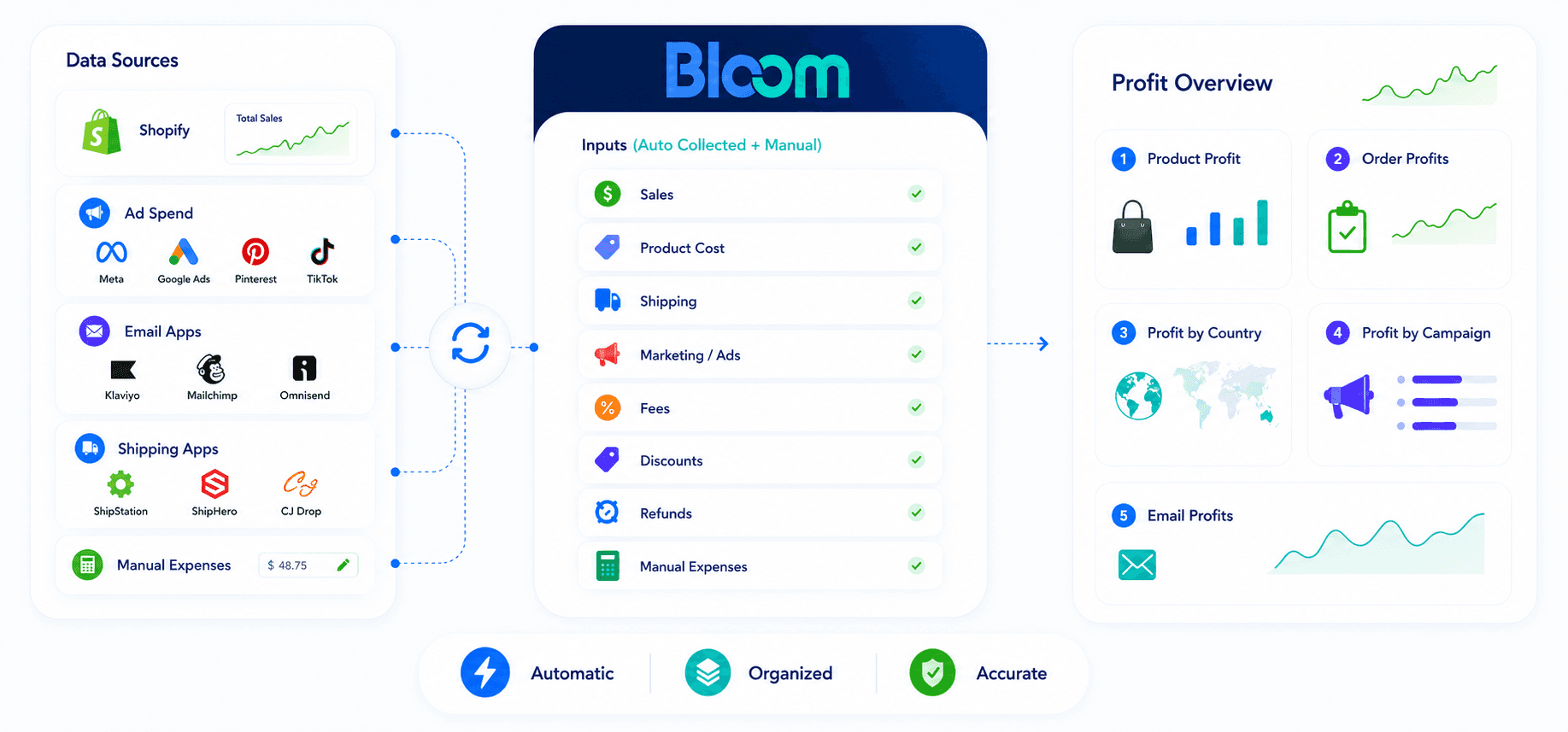
A dedicated profit app calculates everything automatically and keeps it live. It connects to your store and ad platforms, pulls in COGS, shipping, refunds, discounts, fees, and ad spend, and produces true profit by order, product, and channel without you maintaining a thing. This is the category that includes tools like TrueProfit, BeProfit, Triple Whale, and Bloom.
The strength is that it solves the failure point every other method shares: staleness. The numbers update on their own, so the profit you see today reflects the spend and costs of today, not whenever someone last touched a spreadsheet. The trade-off is a monthly cost and an initial setup to get your costs entered accurately.
This is the kind of view Bloom builds automatically from your Shopify data. It pulls real COGS and live ad spend into a single profit picture, then breaks it down by order, product, and campaign, and flags products that look profitable on platform ROAS but lose money once real costs are in. Where many tools surface campaign-level revenue, Bloom calculates campaign-level contribution margin, so a high-revenue, low-profit campaign can't hide.
To be fair to the alternatives: Triple Whale has stronger creative and ad reporting, TrueProfit has been in the category longer, and Lifetimely is well regarded for cohort and lifetime-value analysis. The right pick depends on what you're optimizing for.
Best for: any store past the early stage that needs accurate profit daily, across products and channels, without manual upkeep.
Quick comparison
Method | Speed | Accuracy | Cost | Stays live? |
Spreadsheet | Slow to maintain | High if updated | Free | No |
Free calculator | Instant | Rough, one product | Free | No |
Bookkeeper / CFO | Monthly | Very high | High | No |
AI connector | Fast, ad hoc | Depends on input | Low | No |
Dedicated app | Instant, ongoing | High | Monthly fee | Yes |
The pattern is hard to miss. The first four all produce a number at a moment in time. Only the last one keeps producing it. Which method is "best" depends entirely on whether you need profit once or profit continuously.
Once You Can Calculate It, Analyze Profit From These Angles
Getting the number is half the job. The clarity comes from slicing it. These are the five views worth checking regularly, and each one answers a different question.
Profit Over Time (Day, Week, Month)
Track profit on three clocks. Daily is your health check: it catches a sudden cost spike or margin drop fast enough to act. Weekly is your test window: it shows whether a new shipping contract, price change, or campaign tweak moved margins the right way. Monthly is your trend line: it reveals which cost layers are slowly eating your bottom line before they become a crisis.
Profit By Product
A store-wide profit number can stay healthy while individual SKUs quietly lose money. Product-level profit shows which items actually carry the business, which ones survive only on volume, and which look like winners on revenue but turn negative after COGS and ad spend. That's the difference between scaling a profitable product and scaling a loss.
Profit By Order
The same product can be profitable alone and unprofitable inside a certain order. Order-level profit captures the costs that only appear at checkout: actual shipping, handling, payment fees, and the effect of discounts and refunds. It's where you spot underpriced free shipping and bundles that look good but lose money once combined.
Profit By Campaign (Ads And Email)
Revenue tells you a campaign was busy. Profit tells you whether it was worth running. Looking at contribution margin per campaign, across both paid ads and email, exposes the campaigns generating impressive top-line numbers while losing money after the cost of goods and the spend behind them. Email especially is a common blind spot, since most tools only show its revenue, never its margin.
Profit By Country
International orders carry costs domestic ones don't: higher shipping, duties, payment fees, and currency effects. A country view shows which markets actually pay their way and which ones are quietly subsidized by your home market. Some of your "fastest-growing" regions may be your least profitable.
Each of these is its own deep topic, and we cover several in dedicated guides linked below.
Frequently Asked Questions
Does Shopify Calculate Net Profit Automatically?
Not fully. Shopify's built-in reports show revenue and gross profit, but they don't pull in your live ad spend, actual per-order shipping, software costs, or operating expenses. To see true net profit you either build it yourself in a spreadsheet, feed an export to a calculator or AI tool, or connect a dedicated profit app that automates the full calculation.
What Is a Good Profit Margin For a Shopify Store?
It varies by category, but a net profit margin of at least 10% is a common floor for a sustainable store, with many brands targeting 15% to 30%. Gross margins are higher, often 40% to 50%, and can reach 50% to 70% in beauty and fashion or fall to 10% to 25% in electronics. Compare against your own niche, not a blanket number.
Can I Just Use ChatGPT or Claude to Calculate My Store's Profit?
For a one-time look at an export, yes. You can upload an ordered CSV, supply your costs, and ask for a profit breakdown. The limits are that there's no live link to your store, large datasets hit context limits, and the answer is only as accurate as the data you remember to include. It's a strong scratchpad, not an ongoing source of truth.
What's the Easiest Way to Track Profit Daily Without a Spreadsheet?
A dedicated profit app is the lowest-effort option for daily accuracy. It connects to Shopify and your ad platforms, pulls in COGS and live spend, and updates true profit on its own, so you're not re-entering numbers every morning. This is the kind of automatic, always-current profit view Bloom builds from your Shopify data.
If you'd rather see your real profit by tomorrow morning than rebuild a spreadsheet, Bloom has a free trial and it installs on Shopify in a couple of minutes. There's also a free consultation call if you'd like someone to walk through your store's numbers with you first.
Discover More