How to Increase Shopify Conversion Rate: Strategies and Benchmarks
Learn how to increase your Shopify conversion rate with proven strategies, the key factors that affect it, and 2026 benchmarks by industry and product type.

Conversion rate is one of the most important metrics in ecommerce because it directly links your traffic to revenue. It shows how many of your store visitors actually become paying customers.
Most Shopify stores convert only 2 to 3 percent of their visitors, meaning 97 out of every 100 shoppers leave without buying. You already paid to bring them in, but they are not converting. So what is holding them back?
In this blog, we will walk you through what Shopify conversion rate is, what counts as a good conversion rate, how to increase it, and the key factors affecting conversions on your store.
What is Shopify Conversion Rate?
Shopify conversion rate is the percentage of your store visitors who complete a purchase. It is calculated with a simple formula:
Conversion Rate = (Total Number of Conversions / Total Number of Visitors) x 100
Think of it as the efficiency score of your store. Traffic tells you how many people showed up, but conversion rate tells you how well your store actually did its job once they arrived.
If 1,000 people visit your store in a week and 25 of them place an order, your conversion rate is 2.5 percent.
What is a Good Conversion Rate on Shopify?
The current ideal average conversion rate on Shopify is 2.5% to 3.3%. Hitting the 3.3% mark places a business in the top 20% of all Shopify stores.
If your average conversion rate is at or above this range, you are in a healthy spot. If it is falling short, that is a signal to start focusing on Conversion Rate Optimization (CRO), the systematic process of improving your store's user experience to increase the percentage of visitors who complete a purchase. Instead of acquiring new traffic, CRO helps you get more out of the visitors you already have.
And the top ecommerce merchants are not leaving this to chance. They follow a set of proven strategies to consistently optimize or increase their conversion rate.
How to Increase Shopify Conversion Rate strategically
Top ecommerce merchants follow a set of proven practices that consistently move their conversion rate in the right direction. Here are the nine that make the biggest impact.
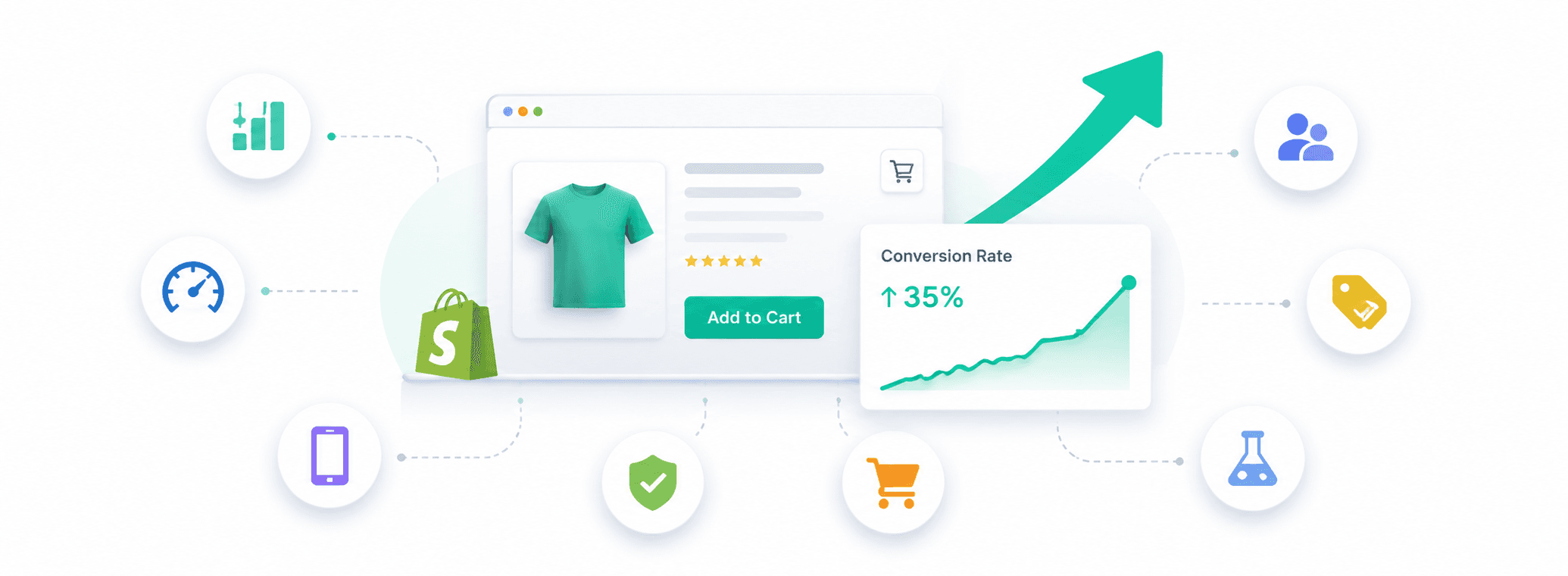
Start with Your Store Data
Before changing anything, look at what your data is telling you. Use Shopify Analytics, Google Analytics, heatmaps, and abandoned cart reports to find where visitors actually drop off. If shoppers add to cart but do not check out, the issue is likely shipping, payment options, or checkout friction. If they land but never add to cart, your product page, pricing, or reviews need work. Fix the biggest drop-off point first, then move down the list.
Example: A skincare brand notices in Shopify Analytics that 60% of mobile visitors drop off on the product page. They add a sticky "Add to Cart" button, and mobile conversions lift within weeks.
Improve Site Speed
A slow store loses shoppers before they see your products. According to Google, a one-second improvement in mobile speed can lift conversions by up to 27%. Compress images, remove unused apps, cut heavy pop-ups, and use a lightweight theme to keep pages fast on every device.
Example: After migrating to Shopify, Pineapple Dance Studios cut their load time by two seconds and saw a 207% jump in sales.
Optimize the Mobile Experience
Most Shopify traffic comes from mobile, yet many stores still design for desktop first. Make sure buttons are easy to tap, text is readable without zooming, images load properly, and popups do not block the screen. A sticky add-to-cart button also helps by keeping the buying action visible as shoppers scroll.
Example: Gymshark designs mobile-first, with large tap targets, a sticky add-to-cart button, and simplified navigation that makes browsing on a phone feel effortless.
Strengthen Your Product Pages
Product pages are where the buying decision actually happens. Use clear, specific titles, multiple high-quality images (four to five per product, including lifestyle shots), and descriptions that focus on benefits, not just features. Around 60% of shoppers prefer 360-degree product views, and 33% want multiple photos. Add reviews near the buy button, and keep shipping and return details easy to find.
Example: Dr. Squatch uses short, punchy product descriptions written in their brand voice, paired with lifestyle images, making each product page feel like a mini pitch rather than a spec sheet.
Build Trust Across the Store
Nearly 70% of online shoppers read between one and six reviews before buying. Real customer reviews with photos, verified buyer labels, a visible return policy, clear contact information, and an authentic About page all reduce buying hesitation. Trust badges alone are not enough. Shoppers respond to details they can verify.
Example: Kettle & Fire adds "Verified Buyer" labels next to product reviews, giving new visitors confidence that the feedback is coming from real customers.
Simplify the Cart and Checkout
Baymard research shows the average checkout abandonment rate is around 70%, with 39% of shoppers leaving because of unexpected shipping fees and taxes. Show shipping costs early, keep checkout forms short, offer Shop Pay, Apple Pay, Google Pay, and PayPal, and avoid surprise costs at the final step. A progress message like "You are $18 away from free shipping" can also nudge shoppers to add one more item.
Example: Everlane rolled out Shop Pay at checkout and hit record-high checkout conversion rates, thanks to one-click payment for returning shoppers.
Use Social Proof and Clear CTAs
Social proof, including reviews, ratings, media mentions, and influencer endorsements, gives new visitors reasons to trust your store. Pair this with clear, direct calls-to-action such as "Add to Cart," "Buy Now," or "Build Your Bundle." The button should stand out visually and be easy to spot on every device.
Example: Glossier pairs product pages with hundreds of customer reviews and photos, while using a bold, single "Add to Bag" button that stays visible as shoppers scroll.
Offer Discounts and Incentives Strategically
Well-timed offers can turn hesitant visitors into buyers. First-order discounts, free shipping thresholds, exit-intent popups, and abandoned cart emails with a small incentive all lift conversion. Just avoid running promotions constantly, since it trains shoppers to wait for a deal and eats into your margins.
Example: Glossier offers 15% off the first order in exchange for an email signup, capturing new customers and building a list they can retarget later.
Test, Measure, and Keep Improving
Conversion Rate Optimization is not a one-time project. Run A/B tests on product page copy, images, CTA text, review placement, and checkout flow, but change one element at a time so you know what actually moved the needle. Track results, keep the winners, and move to the next test. Small, consistent improvements compound into meaningful revenue gains over time.
Example: Rebecca Minkoff A/B tested adding 3D product views on select pages and found shoppers who interacted with the 3D model were 27% more likely to place an order.
Shopify Conversion Rate Benchmarks 2026
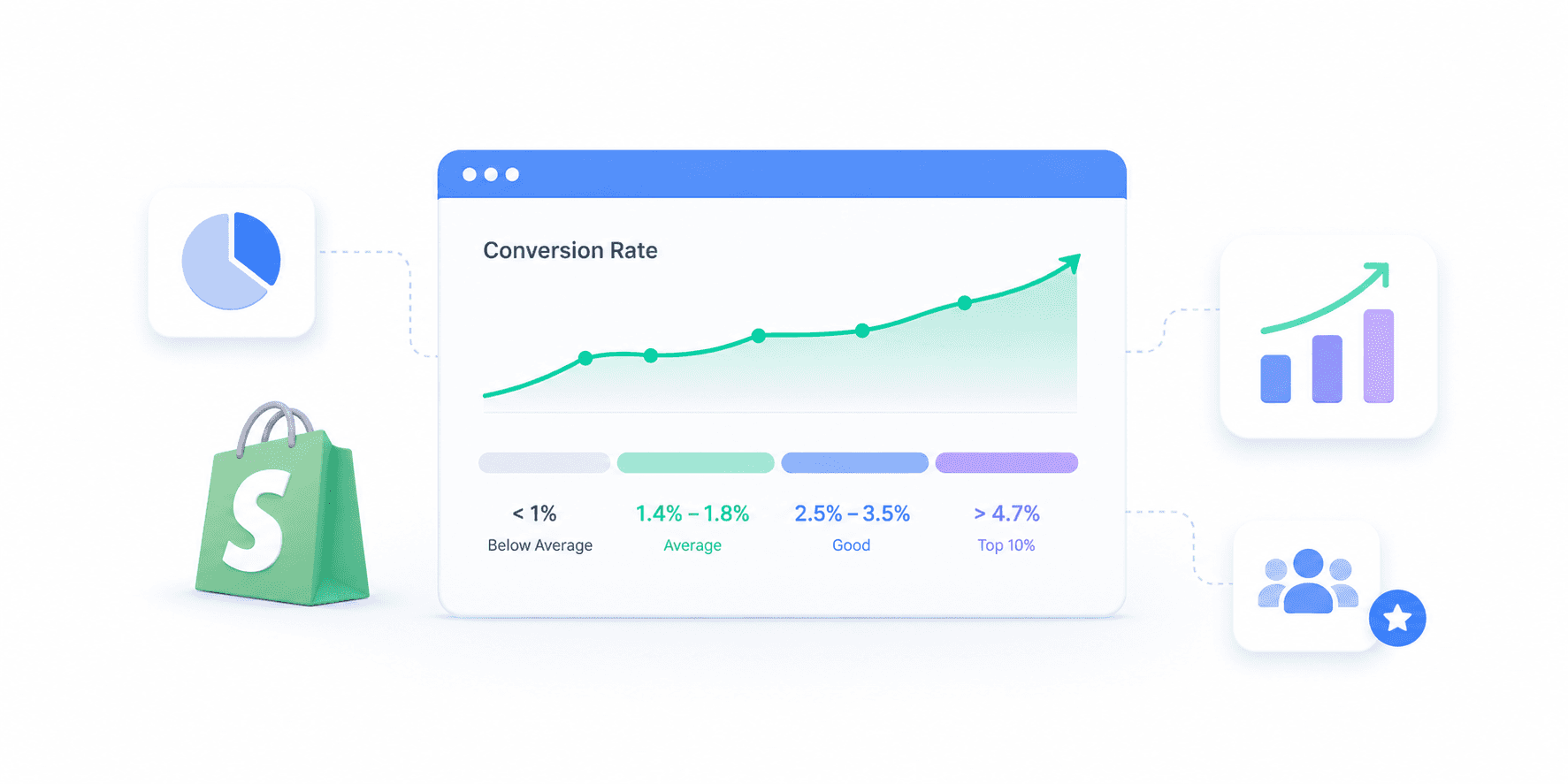
Benchmarks give you a starting point to judge whether your store is performing well or leaving revenue on the table. But a single "average" number rarely tells the full story, since conversion rates shift significantly based on your industry, product type, average order value, and traffic mix. The right way to use benchmarks is to compare your store against the segment it actually belongs to.
Overall Shopify Benchmarks
Across the platform, the Shopify average conversion rate in 2026 sits between 1.4% and 1.8%. That number includes newer stores, inactive stores, and stores still finding product-market fit, so most active merchants aim higher.
Here is what performance tiers look like across the platform:
Below 1%: Below average, immediate CRO work needed
1.4% to 1.8%: Platform average
2.5% to 3.5%: Considered a good conversion rate
Top 20% of stores: 3.2% or higher
Top 10% of stores: 4.7% or higher
If your store is above 3%, you are already outperforming most of the platform. Above 4.7%, you are in the top 10%.
Shopify Conversion Rate by Industry and Product Type
Industry and product price together explain most of the variation in conversion rates. Low-risk, low-price, repeat-purchase categories convert much higher than high-consideration, high-ticket categories.
Industry / Product Type | Typical Price Range | Average Conversion Rate |
Food and Beverage | Under $60 | 4.2% to 6.0% |
Gifts | Under $75 | 4.0% to 5.0% |
Digital Products | Varies | 3.5% to 5.0% |
Beauty and Cosmetics | $20 to $80 | 3.0% to 4.5% |
Pet Products | $20 to $100 | 2.5% to 3.5% |
Apparel and Fashion | $30 to $150 | 2.0% to 3.0% |
Health and Supplements | $30 to $100 | 1.6% to 3.0% |
Home and Living | $50 to $200 | 1.5% to 2.5% |
Electronics | $100 to $500+ | 0.8% to 2.3% |
Jewelry | $100 to $500+ | 0.8% to 1.7% |
Furniture | $200+ | 0.8% to 1.5% |
Luxury Goods | $500+ | Under 1.2% |
Food, beauty, gifts, and digital products convert highest because purchases are cheaper, lower risk, and often repeated. Electronics, furniture, jewelry, and luxury sit lower because buyers research extensively, compare across sessions, and take longer to commit.
The takeaway is simple: do not chase a generic 3% target. Beat your industry and AOV benchmark first, then compound from there.
Factors Affecting Ecommerce Conversion Rates

Your Shopify conversion rate is shaped by a mix of internal and external factors, some within your direct control and some tied to how shoppers behave. Understanding these helps explain why two similar stores can see very different conversion rates, and where your own store might be losing revenue.
Average Order Value and Price Point
Price has a direct, inverse relationship with conversion rate. Stores selling products under $60 convert at a median of 4.5%, while stores with AOV above $200 median around 1%. Higher-ticket purchases involve more research, more comparison, and more sessions before a decision. If your AOV is high, a lower conversion rate is not necessarily a problem, it is often just the economics of your category.
Traffic Source and Buyer Intent
Not every visitor arrives ready to buy. Email traffic converts at 4% to 5%, organic search around 2.7%, and paid social often sits below 1.2% because those visitors are usually browsing, not shopping. If your traffic mix is heavy on paid social or top-of-funnel content, your blended conversion rate will naturally look lower even when your store is doing everything right.
Seasonality and Buying Cycles
Conversion rates fluctuate throughout the year based on demand cycles, holidays, and industry-specific seasons. A pet supply store may see steady rates year-round, while an apparel brand can see conversions spike during BFCM and dip in January. Comparing your store's performance month-over-month without accounting for seasonality can lead to the wrong conclusions and the wrong fixes.
Product-Market Fit and Category Demand
Even a perfectly optimized store cannot convert well if the product does not match what shoppers actually want at the price you are asking. Weak demand, saturated categories, or unclear positioning against competitors all cap your conversion ceiling. If shoppers consistently visit your product pages but do not add to cart, the issue may be the offer itself, not your CRO tactics.
Returning vs New Customer Mix
Returning customers convert at 4.5% to 6%, while first-time visitors convert at just 1% to 2%. Stores with strong retention, subscription options, or repeat-purchase products naturally see higher blended conversion rates. If most of your traffic is new visitors from cold acquisition channels, expect a lower rate, and focus on retention and lifetime value to lift your overall economics.
Conclusion
Most Shopify merchants chase a higher conversion rate, but not every conversion turns into revenue. A shopper might add to cart or reach checkout and leave. These get logged as conversion events, but they are not paying orders.
Your real conversion number might surprise you. Find out yours.That is where Bloom Analytics closes the gap. Bloom's attribution ties every marketing channel and campaign back to actual completed orders, not just clicks or cart events. You can see which campaigns drive real revenue, cut the ones inflating vanity numbers, and grow your store on the metric that actually matters: profit-generating orders.
Frequently Asked Questions
What is a good conversion rate for a Shopify store in 2026?
A good Shopify conversion rate in 2026 falls between 2.5% and 3.5%. Hitting 3.2% or higher places your store in the top 20% of all Shopify merchants, and 4.7% or higher puts you in the top 10%. The platform-wide average sits around 1.4% to 1.8%, but you should always compare against your industry and average order value, not the overall number.
How do I calculate my Shopify conversion rate?
Divide your total number of orders by your total number of sessions in a given period, then multiply by 100. For example, if your store had 25 orders from 1,000 sessions in a week, your conversion rate is 2.5%. Shopify calculates this automatically inside Analytics under Sessions by conversion, using online store sessions as the denominator.
Why is my Shopify conversion rate so low?
Low conversion rates usually come down to one of five things: slow site speed, weak product pages, low-quality traffic, a friction-heavy checkout, or a poor mobile experience. Start by checking where visitors drop off inside Shopify Analytics. If they add to cart but do not check out, the issue is likely checkout. If they never add to cart, the product page or offer needs work.
How long does it take to see conversion rate improvements?
Most CRO changes show measurable impact within two to four weeks, though the timeline depends on your traffic volume. Stores with over 10,000 monthly sessions can validate an A/B test in one to two weeks, while lower-traffic stores may need four to six weeks per test. Focus on changing one element at a time so you know what actually moved the numbers.
Does Shop Pay actually increase conversion rate?
Yes. Shop Pay converts up to 1.72x better than standard checkout because it allows one-click payment for returning shoppers and reduces form friction. Enabling Shop Pay alongside Apple Pay, Google Pay, and PayPal gives shoppers the payment method they prefer and consistently lifts checkout completion rates across most Shopify stores.
Know Your Real Profit And
The Ads That Actually Sell.
No need to spend. Just try it on your store.