

Pinterest ads Shopify campaigns work differently from any other paid channel. Pinterest is a visual discovery platform where people plan purchases weeks in advance, which means your Shopify Pinterest ads reach shoppers before they have picked a brand. In Pinterest you can put products in front of buyers who are actively looking for ideas but have not yet decided where to spend
The trade-off is measurement. Because Pinterest ads Shopify conversions often land days or weeks after the first interaction, tracking them accurately takes more setup than a typical Meta or Google campaign.
In this guide, you'll learn why Shopify Pinterest ads are worth running, how the Pinterest Ads Shopify integration works, how to set up your first campaign, how conversion and attribution windows shape your numbers, and where native reporting falls short.
Key takeaways
Shopify Pinterest ads excel at top-of-funnel discovery in visual categories like home decor, fashion, and footwear, where 75% of weekly Pinterest users have purchased something they found on the platform.
The official Pinterest Ads Shopify app installs the Pinterest Tag, syncs your catalog, and keeps Product Pins updated automatically.
Pinterest conversion lookback windows run 1, 7, or 30 days (post-click or post-view), and reporting attribution can extend up to a 60-day click plus 60-day view window.
Native Pinterest ads Shopify reporting only sees Pinterest touchpoints and reports revenue-based ROAS, not profit, so pair it with a multi-touch attribution tool like Bloom to see what your Shopify Pinterest ads actually earn.
Why Run Shopify Pinterest Ads?
Shopify Pinterest ads make sense for one core reason: intent without brand loyalty. Pinterest functions as a visual search engine. People search "living room shelf ideas" or "summer wedding guest outfit", not a competitor's name. Your Shopify Pinterest ads can win those shoppers before a brand preference forms.
The buying behavior backs this up. Pinterest reports that 85% of weekly users have bought something they discovered on the platform, and users save Pins with future purchases in mind. That planning behavior gives Shopify Pinterest ads a longer conversion lag than Google Ads, but it also means saved Pins keep driving traffic organically long after a campaign ends, something no other paid channel offers.
There is also a competition angle. CPCs in many visual verticals remain lower than on Meta because fewer DTC brands run Shopify Pinterest ads at scale. If your products photograph well (home, fashion, beauty, food, footwear), you are advertising where your category's buyers already browse, with less bidding pressure.
How do Pinterest Ads Shopify Campaigns Work?
Pinterest promotes your Pins to users based on their search queries, saved content, interests, and browsing behavior. Promoted Pins appear in home feeds, search results, and related-Pin surfaces, blending in with organic content. Advertisers bid to show image, video, or carousel creatives, and vertical formats (2:3 ratio) generally perform best because they take up more mobile screen space.
To run Pinterest ads Shopify campaigns, you need a Pinterest Business account. When you create your first campaign, you select a billing country, and this locks your billing currency permanently, so choose carefully. Pinterest also enforces creative standards: promoted Pins must sit on public boards on your business profile, include a valid destination URL, and meet the platform's content and quality guidelines etc.
The Pinterest Ads Shopify integration handles the technical plumbing. It installs the Pinterest Tag on your storefront, syncs your product catalog into Product Pins, and passes conversion events (PageVisit, AddToCart, Checkout) back to Pinterest so campaigns can optimize toward purchases.
Types of Shopify Pinterest Ads
Pinterest offers five main ad formats, and the right mix depends on your catalog size and campaign objective.
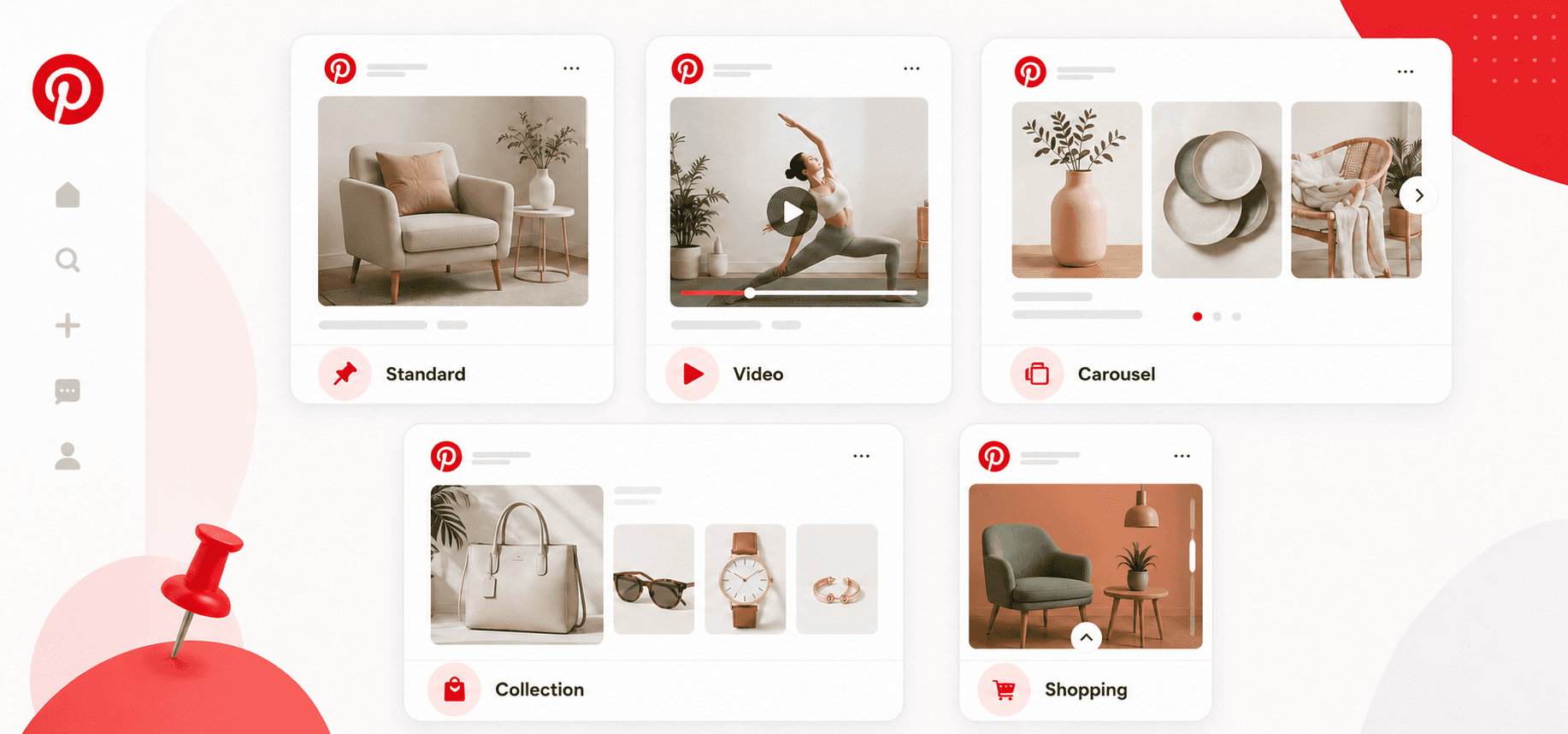
Standard Image Ads: Single-image Pins promoted in feeds and search results. The workhorse format for testing creative angles and landing pages.
Video Ads: Standard-width and max-width video formats built to capture attention with motion. Pinterest reports users are 54% more likely to say platform videos inspire them to act.
Carousel Ads: Multiple swipeable cards in one Pin, useful for showing product variants, a step-by-step use case, or several products from one collection.
Shopping Ads: Created directly from your synced Shopify catalog. Images, prices, and availability update automatically, which makes shopping ads the lowest-maintenance format for stores with large catalogs.
Collection Ads: A hero image or video with related products displayed underneath, letting users browse and shop several items without leaving the ad.
How to Set Up Pinterest Ads on Shopify
Setting up Shopify Pinterest ads takes time because Shopify has an official Pinterest integration that installs tracking and syncs products automatically.
Step 1: Install the Pinterest App From the Shopify App Store
Go to Shopify Admin, open Apps, and search for Pinterest. Click Install, log in with your Pinterest Business account, and complete the connection prompts. This single install covers the tag, the catalog feed, and the ads connection.
Step 2: Sync Your Product Catalog
The app syncs your Shopify products to Pinterest automatically and generates Product Pins with live titles, images, prices, and stock status. Review the catalog in Pinterest to confirm products mapped correctly, especially variants.
Step 3: Verify Tracking With the Pinterest Tag and API for Conversions
The app installs the Pinterest Tag for you. Open Pinterest Ads Manager, go to Events Manager, and verify the tag is firing. Test the three events that matter for ecommerce: PageVisit, AddToCart, and Checkout. Enable Enhanced Match and the API for Conversions, so conversions still get captured when browsers block cookies.
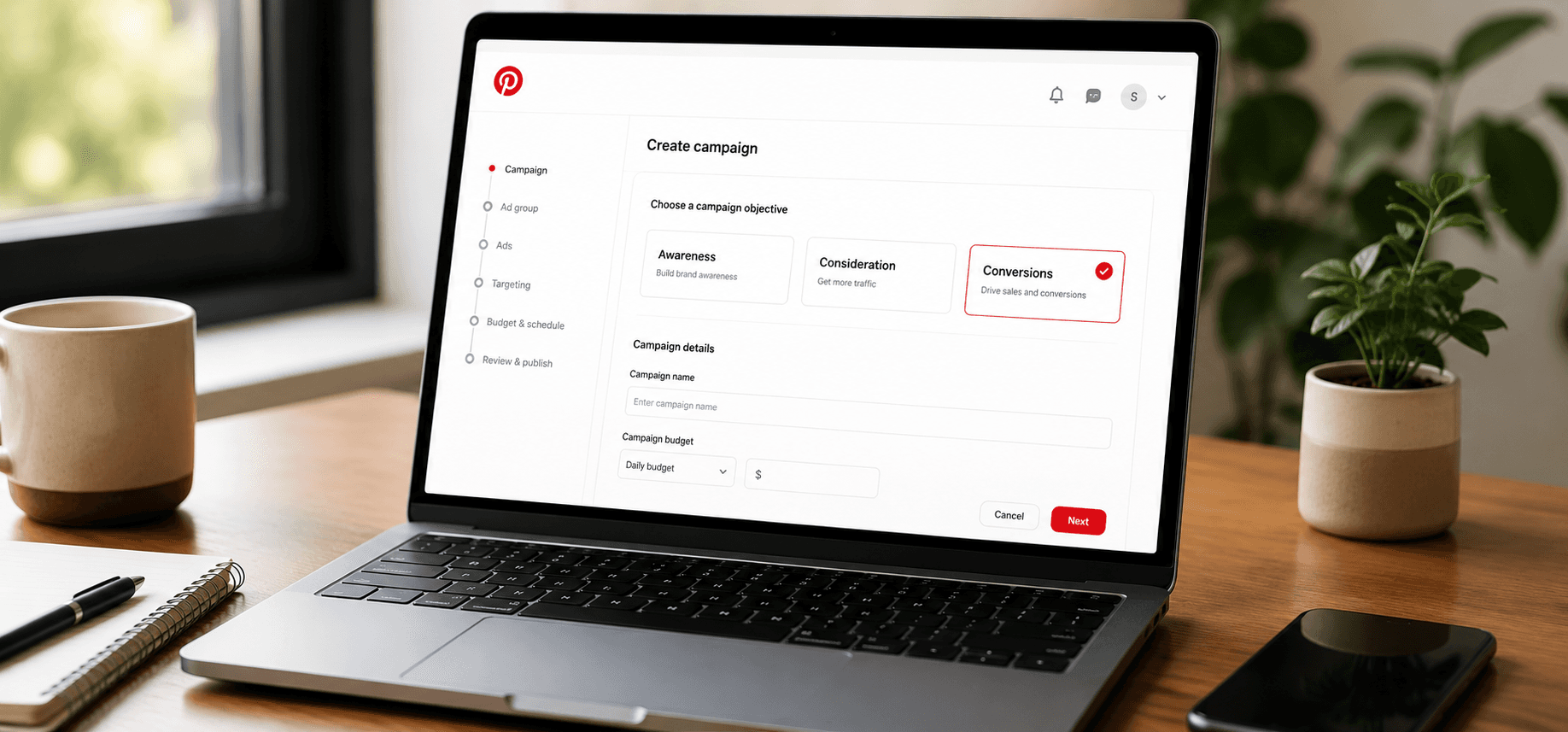
Step 4: Create Your First Campaign
At ads.pinterest.com, click Create Ad and choose an objective (consideration or conversions for most stores). Set your budget, schedule, and bidding strategy. New ad accounts typically start with automatic bidding while the algorithm learns.
Step 5: Define Your Audience
Layer interest targeting, keywords, demographics, and locations. Then build retargeting audiences from your tag data: product viewers, cart abandoners, and past purchasers for exclusions.
Step 6: Select Products and Creative
Choose product groups or individual items from your synced catalog. Vertical 2:3 images with minimal text overlay perform best in feed placements.
Step 7: Launch, Monitor, and Optimize
Launch, then resist the urge to react daily. Pinterest recommends no more than two rounds of changes per week, with three to five days between changes for the campaign to recalibrate. Watch CTR, CPC, ROAS, and conversion rate weekly, and compare Pinterest's numbers against Shopify Analytics.
How to Track Pinterest Ads Shopify Performance
Tracking Pinterest ads Shopify performance accurately comes down to three settings: the conversion window, the attribution window, and the attribution logic Pinterest applies when multiple touchpoints exist. Because purchases often happen days or weeks after the first Pin interaction, these settings decide which sales Pinterest claims and which it silently drops.
Conversion Window
The conversion window defines how far back Pinterest looks from a conversion event to credit an ad interaction, and it feeds both delivery optimization and reporting. Per Pinterest's help documentation, conversion window lookbacks are 1 day, 7 days, 30 days or 60 days, each expressed as post-click or post-view. Longer windows suit considered purchases, which describes most Pinterest shopping: dedicated reporting research found Pinterest retail research cycles average 21 to 28 days, so a 7-day window can undercount conversions by 40 to 60%.
Set this in Pinterest Ads Manager under conversion settings, and make sure your Pinterest app is passing PageVisit, AddToCart, and Checkout events cleanly first. Bad event data makes any window meaningless.
Attribution Window and Lookback Period
The attribution window tells Pinterest which conversions to count in reporting. It combines a lookback period with an engagement type:
7-day click: credits a conversion if a user clicks your ad and purchases within 7 days.
1-day view: credits a conversion within 1 day of an ad view, no click required.
30-day click: credits clicks up to 30 days before purchase.
For most stores running Shopify Pinterest ads, a 30-day click with a 1-day or 7-day view window balances credit for Pinterest's long consideration cycle against inflated view-through numbers.
How Pinterest Assigns Credit
Within its window, Pinterest Ads Manager credits the strongest qualifying action on your Pin: a click outranks an engagement, which outranks a view. Pinterest's separate Conversion Insights view (which blends organic and paid) uses last-touch logic and defaults to a 1-day view / 30-day click window if you have not set one.
Both views only see Pinterest. Shopify Analytics and GA4 default to last-click across all channels, so a sale that started with a Pin and closed through a branded Google search shows up in Pinterest's reporting and in Google's. This is why Pinterest ads Shopify numbers rarely match your other dashboards, and why neither is lying: they are answering different questions with different windows.
Best Practices for Shopify Pinterest Ads Tracking
Run the official app plus the API for Conversions for cross-device and cookie-resistant matching.
Start with a 30-day click window, then compare 7-day reports side by side to gauge how much of your revenue is long-cycle.
Add UTM parameters to every campaign so Shopify Analytics gives you a third reference point.
Treat long view-through windows with suspicion. They inflate ROAS, especially at high impression volumes.
Limitations of Native Pinterest Ads Shopify Reporting
Native Pinterest ads Shopify reporting has four gaps that matter as you scale.
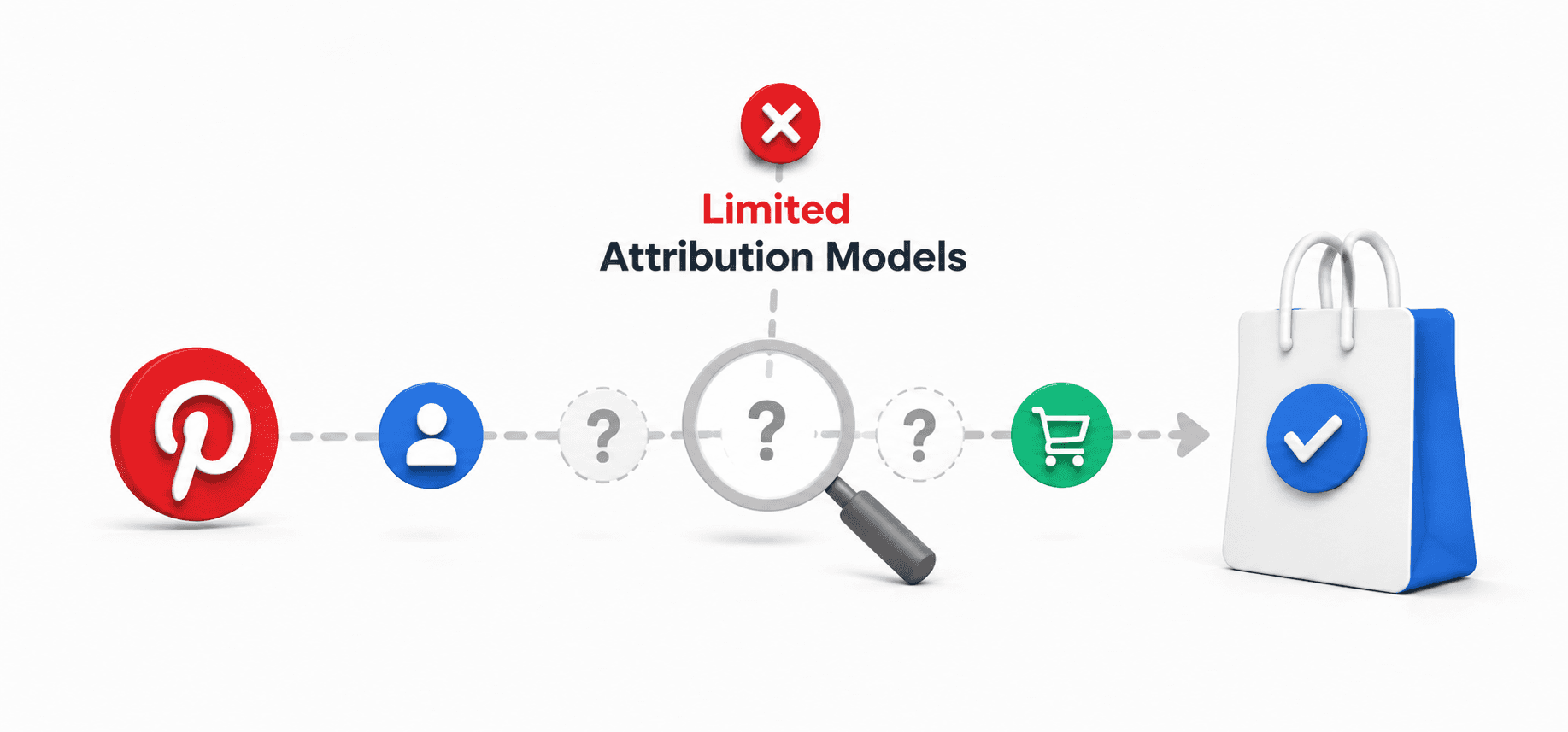
It only sees Pinterest: Pinterest credits conversions using its own window and rules, with no visibility into Google Ads, Meta, email, affiliates, or organic touchpoints. You cannot tell from Pinterest's dashboard whether a Pin started the journey or merely appeared in it.
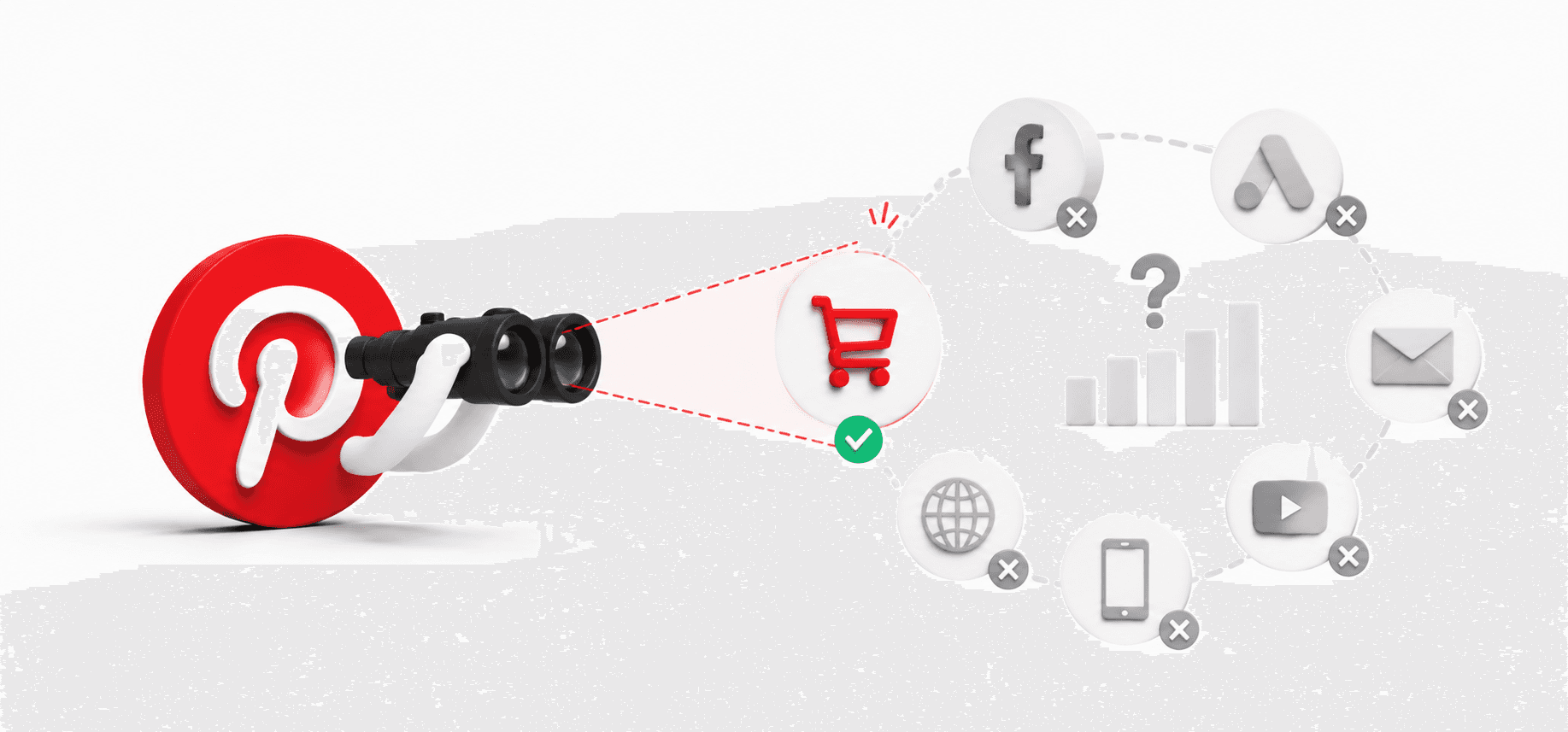
Limited attribution models: You get Pinterest's strongest-action logic and a last-touch insights view. There is no linear, position-based, or paid-only model to test how credit shifts across your campaigns, ad groups, and creatives.
ROAS is not profit: Pinterest reports revenue-based metrics: ROAS, revenue, and AOV. A 4x ROAS campaign selling low-margin products can lose money once product costs, shipping, payment fees, and discounts come out. You need Profit on Ad Spend (POAS) to know what a campaign actually keeps.
Revenue metrics alone cannot guide scaling: Deciding which Shopify Pinterest ads deserve more budget requires contribution margin and customer acquisition profitability, neither of which any ad platform reports.
Measuring the True Profit of Shopify Pinterest Ads with Bloom
This is where a dedicated attribution tool earns its keep. Bloom gives Shopify merchants six multi-touch attribution models (first-click, last-click, linear, linear paid only, last-click non-direct, and any-click), so you can see how a Pin that opened the journey compares against the Google search that closed it, instead of trusting a single-touch number from each platform.
Bloom also goes past revenue. It calculates true profitability on every order by factoring in product costs, fulfillment, discounts, payment processing fees, and operational expenses, then rolls that up into POAS per channel and per campaign. That turns "this Pinterest campaign has a 3.2x ROAS" into "this Pinterest campaign generates 1.4x profit on ad spend after all costs", which is the number a scaling decision actually needs.
Tracking runs on the Bloom Pixel, a server-side pixel that keeps capturing conversions when cookie restrictions and ad blockers cut off client-side tags. For a channel like Pinterest, where the gap between first touch and purchase can stretch past 30 days, durable tracking is the difference between crediting your Shopify Pinterest ads correctly and writing them off as unprofitable when they were quietly starting most of your sales.
Final Thoughts
Pinterest rewards merchants who match its rhythm: discovery-led creative, patient optimization, and windows long enough to capture a planner's purchase cycle. Get the Pinterest Ads Shopify setup right (official app, verified tag, API for Conversions, 30-day click attribution), and the platform can deliver efficient top-of-funnel growth that Meta and Google struggle to match in visual categories.
Then close the measurement gap. Pinterest's dashboard will tell you what revenue it believes it drove; a multi-touch tool like Bloom tells you what role your Shopify Pinterest ads actually played across the full journey, and whether the sales they drove were profitable after every cost. Run both, and you can scale with confidence instead of guessing.
Frequently Asked Questions
Are Pinterest ads worth it for a Shopify store?
Yes, if your products are visual and your margins support a longer conversion cycle. With 631 million monthly users, 96% unbranded search, and 85% of weekly users having purchased something they found on Pinterest, Shopify Pinterest ads reach high-intent shoppers before competitors do, usually at lower CPCs than Meta.
How do I install the Pinterest ads Shopify app?
In Shopify Admin, open Apps, search for Pinterest, and install the official app with your Pinterest Business account. It installs the Pinterest Tag, syncs your catalog into Product Pins, and connects your ad account in one setup flow. The app is free; you only pay for ad spend.
Why don't my Pinterest ads Shopify numbers match Shopify Analytics?
Pinterest reports conversions inside its own attribution window (up to 60-day click plus 60-day view) and only sees Pinterest touchpoints, while Shopify Analytics uses last-click across all channels. The same sale can appear in both, or in neither, depending on windows.
What attribution window should I use for Pinterest ads Shopify campaigns?
Start with a 30-day click plus a 1-day or 7-day view window. Pinterest retail purchase cycles commonly run three to four weeks, so a 7-day click window alone can undercount conversions by 40 to 60%. Compare windows side by side before locking one in.
How do I know if my Shopify Pinterest ads are profitable, not just generating revenue?
Track POAS instead of ROAS. A tool like Bloom deducts product costs, shipping, fees, and discounts from attributed revenue, then applies multi-touch attribution across all channels, so you see the actual profit each campaign contributes rather than platform-reported revenue.
Discover More