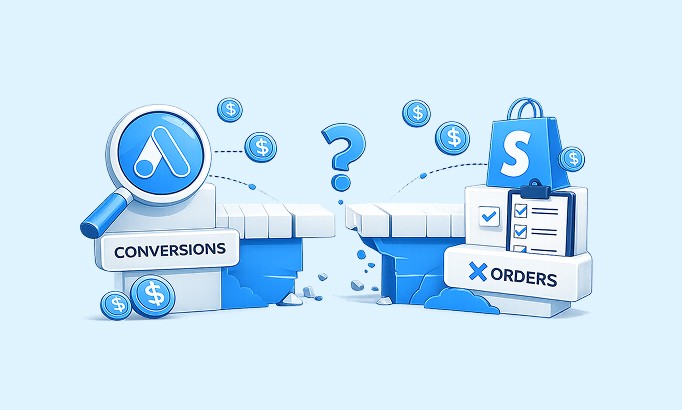


Still trying (and failing) to make Google Ads and Shopify agree on your sales?
In some cases, Google Ads shows only a fraction of the sales visible in Shopify. In others, it reports more purchases than actually happened.
This mismatch leads to confusion and doubt. You start optimizing around the wrong signals, waste budget on underperforming campaigns, and lose sight of what is actually driving revenue. Before long, you are pausing profitable campaigns and scaling ones that are not.
So why does this happen? And which number should you trust?
If you are trying to figure out whether to rely on Google Ads or Shopify for your conversion data, this post gives you clarity. We will explain what each platform really tracks, why Shopify and Google Ads conversion tracking rarely lines up, and how to make smarter decisions with your numbers.
TL;DR
Google Ads and Shopify count different things, so their numbers will never match exactly. That is normal, not a bug.
Shopify records every completed order. Google Ads only counts conversions it can tie to an ad click inside its attribution window.
Google Ads can underreport (blocked tags, cross-device journeys, attribution windows) or overreport (duplicate tags, bad setup, bot traffic).
Treat Shopify as your financial source of truth. Use Google Ads to judge which campaigns drive purchases.
Enhanced conversions and server-side tracking shrink the gap. They do not close it completely.
Why Google Ads and Shopify Report Sales Differently
Google Ads and Shopify report different sales numbers because they measure different things. Shopify records every completed order, including payments, refunds, and fulfillment. Google Ads only counts conversions it can tie to an ad interaction inside its attribution window. Privacy rules, blocked tags, and different attribution logic widen the gap from there.
Say you get 100 orders in Shopify. Logically, you might expect Google Ads to show 100 purchases too. In reality, they do not measure sales the same way.
Shopify reporting focuses on what actually happened in the transaction, not on which marketing touchpoint influenced the shopper. Its attribution is typically based on the customer's last interaction before checkout, depending on the tracking data available.
Google Ads reporting, by comparison, only includes conversions it can track and associate with ad interactions. If a shopper clicks an ad, leaves, returns later, and completes a purchase within the attribution window, Google Ads may still credit the campaign because it counts that ad click as part of the conversion journey.
The reliability of that data depends on how conversion tracking is set up. Most implementations use browser-based tracking scripts, which can be disrupted by privacy settings, declined cookie consent, ad blockers, or checkout interruptions. When tracking tags do not fire, Google Ads may miss the conversion or lose parts of the journey. Sometimes the same purchase gets credited across multiple touchpoints. Shopify still records the completed order, because it is based on the actual transaction.
That is what creates the reporting gap. Let's look at the two ways it shows up.
How Google Ads Underreports Conversions
Google Ads underreports when a real Shopify sale never reaches it. The usual causes are blocked or failed tracking tags, conversions that land outside the attribution window, cross-device journeys Google cannot connect, and ad-influenced purchases that get little or no credit because tracking is broken or privacy-restricted.
Missing conversions. A real purchase happens in Shopify, but no data reaches Google Ads. The tag failed, was blocked by an ad blocker, or never triggered on the thank-you page. Shopify still logs the order, so the sale exists; Google just never sees it.
Delayed conversions. Some conversions show up hours or days late because of processing delays, long buying cycles, or attribution windows. If you check Google Ads too soon after a campaign, recent sales may not have registered yet, even though Shopify already has them.
Misleading attribution. Customer journeys are rarely linear. Privacy restrictions, blocked cookies, and fragmented data stop Google from seeing the full path. As a result, some ad-influenced purchases get little or no credit, and the campaign that actually started the journey looks weaker than it is.
Cross-device gaps. A shopper clicks an ad on mobile and buys on desktop. If Google cannot connect those two devices, the conversion is lost on the Google side. Shopify still records the sale, because it can tie the order to an email address, a customer login, or a persistent session.
How Google Ads Overreports Conversions
Google Ads overreports when it counts the same purchase more than once, or counts events that were never real sales. Duplicate tracking tags, repeated page loads, misconfigured conversion actions, test orders, and bot traffic can all inflate the count above the orders Shopify actually recorded.
Duplicate counting. Multiple tags, repeated page loads, or incorrect triggers can send the same purchase event more than once. One order then looks like two or three conversions in your reports.
Incorrect conversion setup. Non-purchase actions like button clicks, test orders, or form submissions can get marked as conversions by mistake. Each one inflates performance and makes campaigns look more efficient than they are.
Bot traffic and spam. Automated bots and low-quality traffic generate fake clicks and interactions that can trigger false conversions, even though no real purchase happened.
Whether Google Ads underreports or overreports, it distorts your view against Shopify orders and makes it harder to spot the sales that actually matter. So how do you close the gap between Shopify's source of truth and Google Ads performance?
Which Number Should You Trust, Google Ads or Shopify?
Trust Shopify for revenue and Google Ads for ad performance. Shopify shows real money received after returns, cancellations, and refunds, so it is your financial source of truth. Google Ads shows which campaigns drove ad-influenced purchases, which is what you need to judge and optimize spend. They answer two different questions, and both are useful.
The mistake is treating them as competing scoreboards. They are not. One tells you how much money you made. The other tells you which ads helped make it.
How to Fix Shopify Google Ads Tracking Issues
You will almost never get Google Ads and Shopify to match perfectly, and that is normal. But you can shrink the gap enough to trust your data and make good decisions. These five fixes handle most Shopify Google Ads tracking issues.
Use Shopify as your financial source of truth
Shopify shows total sales after returns, cancellations, and refunds. Google Ads shows ad-influenced conversions, not actual money received. Trust Shopify for revenue. Use Google Ads to optimize for sales: which campaigns drive initial purchases, what your cost per attributed conversion is, and where spend is working.
Turn on enhanced conversions
Enhanced conversions let Google Ads capture sales that browser-based tracking misses because of privacy rules, cookie consent, and ad blockers. When a customer buys, Shopify collects identifiers like email or phone number, hashes (encrypts) them, and sends them to Google so conversions can be matched across devices without exposing customer data.
Enhanced conversions still will not capture every sale. Match rates (the share of conversions Google can successfully link to an ad) depend on data formatting, data quality, and whether users are signed in to their Google accounts at the time of purchase. iOS updates, ad blockers, and cookie deprecation continue to limit complete attribution.
Add server-side tracking
Browser-based tracking is not fully reliable. Ad blockers, cookie consent restrictions, and technical issues cause missed conversions, so Google Ads underreports even when Shopify records the sale correctly.
Server-side tracking sends purchase events directly from your Shopify store's server to Google Ads. This bypasses most blockers and privacy restrictions and gets conversion events through without exposing sensitive customer information. Even then, 100% accuracy is not guaranteed. If consent is denied or the setup is misconfigured, some conversions are still missed or modeled rather than recorded exactly.
Align your attribution model expectations
The same sale can look very different in each tool, and that is mostly about attribution models. Shopify's basic reporting often defaults to a last-click view, though its Channel Performance report also lets you switch to last non-direct click or first click. Google Ads leans on more advanced models like Last Non-Direct Click or Data-Driven Attribution by default, which spread credit across more of the journey.
So a campaign that looks weak in Shopify may actually be assisting sales in Google Ads. You might think it is underperforming and pause it, when in reality it is guiding customers earlier in their buying journey. Knowing how each tool assigns credit stops you from killing campaigns that are quietly doing the work.
Monitor your tracking regularly
Tracking is not foolproof. Small website changes, app updates, or new browser and privacy rules can break it without warning. Build a habit of checking it.
Make sure your data is set up correctly in Google Analytics 4 and your conversions are properly connected in Google Ads. Whether you use Google Tag Manager or direct tags, confirm your tracking pulls the right parameters from Shopify, fires on the correct purchase event (usually the thank-you page), and sends clean data. Before launching new campaigns or changing your site, run a test purchase and confirm every tag and conversion event fires.
How to decide when the two numbers disagree
Shopify and Google Ads are built to work together, not to mirror each other. They often measure different things, even when they seem to be counting the same sales.
When both platforms claim the same sale, your job is not to pick a winner. It is to see how the funnel works together, with each platform playing a role in the purchase. If Google Ads helped bring in the customer and influenced the buy, that matters. If Shopify processed the order, you know the sale is real.
Between rising browser protections, ad blockers, and shifting privacy rules, you will always lose some data. The goal is to minimize that loss and capture as much accurate data as you can.
Approach it this way and small discrepancies stop being a problem. You stop guessing, stop reacting to incomplete numbers, and start making confident decisions based on data that reflects your business.
If you want a view that does not depend on Google's tracking alone, Bloom, our profit and marketing attribution app for Shopify, runs its own store-side pixel and ties each order back to the channels that actually contributed. It will not hand you perfect attribution (nothing can), but it gives you a second, independent read you can sanity-check against both Shopify and Google Ads.
FAQ
Why don't Google Ads conversions match Shopify orders?
Because the two platforms measure different things. Shopify records every completed order, including refunds and cancellations. Google Ads only counts conversions it can tie to an ad click inside its attribution window. Blocked tags, cross-device journeys, attribution windows, and privacy rules all widen the gap, so an exact match is not realistic.
Which should I trust, Google Ads or Shopify, for sales data?
Trust Shopify for revenue and Google Ads for ad performance. Shopify shows actual money received after returns and refunds, making it your financial source of truth. Google Ads shows which campaigns drove ad-influenced purchases, which is what you use to judge and adjust spend. Use each for the question it actually answers.
Is it normal for Google Ads to show more conversions than Shopify?
Yes, it can happen. Google Ads overreports when duplicate tags, repeated page loads, misconfigured conversion actions, test orders, or bot traffic inflate the count. It may also credit a single order across multiple touchpoints. If Google Ads consistently shows far more conversions than Shopify orders, audit your tags and conversion setup first.
What causes Shopify Google Ads tracking issues in the first place?
Most issues trace back to browser-based tracking. Ad blockers, declined cookie consent, failed or duplicate tags, cross-device purchases, and misconfigured conversion events all break the signal between a Shopify sale and Google Ads. Site changes and app updates can quietly break tracking too, which is why regular testing matters.
Discover More