Why Successful Brands Use Shopify Profit App
Shopify Analytics tracks revenue and gross profit, but stops short of true net profit. See exactly what costs it misses and how a Shopify profit app fills the gap.
Last Updated: June 2026
Shopify Analytics is good at telling you what happened inside your store. Sales were up 18% last month. The store reports what came in. It says far less about what remained after every cost took its cut.
The reports don't show that shipping costs climbed faster than revenue, that two of your best sellers go negative after ad spend, or that the campaign you just scaled is quietly underwater. That's not a knock on Shopify. The built in analytics are genuinely good at tracking store activity. The problem is that the reporting stops at gross profit, and gross profit is still a long way from the number that actually reflects your bank account.
Here's what Shopify tracks, where it stops, and why a growing number of stores add a dedicated Shopify profit app to see the whole picture.
TL;DR
Shopify Analytics is good at tracking store activity, revenue, and gross profit. It isn't built to show true net profit.
The gap: shipping label costs, marketing spend, payment fees, 3PL charges, and operating expenses never enter Shopify's profit calculation. That makes products and channels look more profitable than they are.
Spreadsheets can bridge the gap once. They don't work as a daily system.
A Shopify profit app like Bloom pulls every cost into one view and reports true net profit per order, product, channel, and customer.
What does Shopify Analytics actually track?
Shopify Analytics gives you solid visibility into traffic, orders, customers, and revenue. Out of the box, it answers most questions about what happened inside your store. For early stage brands, that's often enough.
The reporting falls into these main categories:
Acquisition reports: where your visitors came from
Behavior reports: how shoppers moved through the store
Marketing reports: which campaigns drove attributed sales
Sales reports: what products and channels generated revenue
Order reports: orders, fulfillment, shipping charges, returns, refunds
Customer reports: repeat purchase rate, cohorts, revenue based lifetime value
Inventory reports: stock levels and sell through
Finance reports: revenue, discounts, taxes, shipping collected
Profit reports: gross profit and gross margin, when you've entered product costs
That last one is where most merchants assume the profit question is answered. It's the start of the answer, not the end.
Where does Shopify's profit reporting stop?
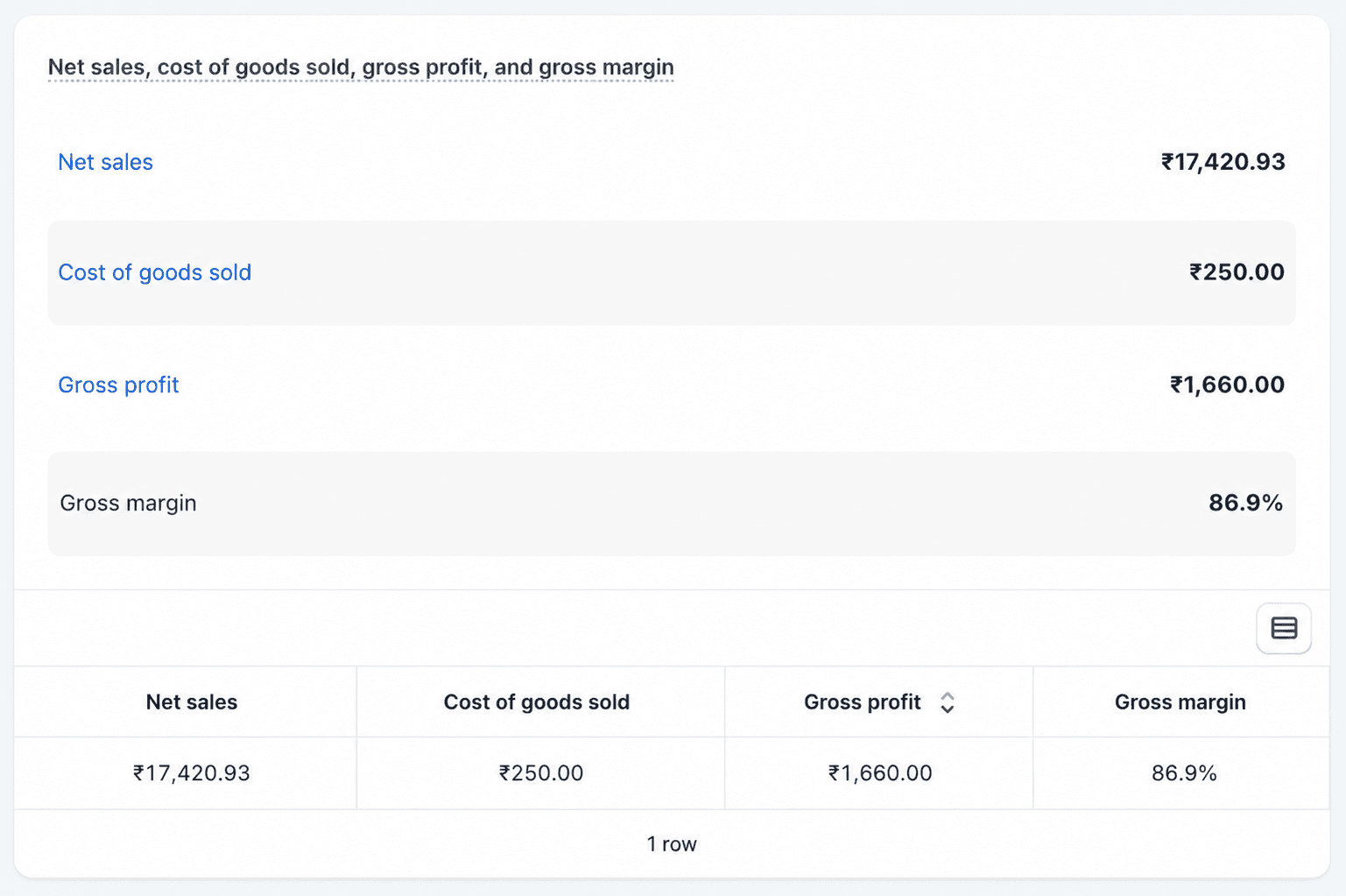
Shopify calculates gross profit, not true net profit. It takes your net sales and subtracts the cost of the product. Everything else that eats into a sale, the fulfillment costs, the ad that won the order, the payment fee, the 3PL pick and pack, lives somewhere else.
The math Shopify runs looks like this:
Net Sales = Gross Sales minus discounts minus returns
COGS = Units Sold x Cost Per Item
Gross Profit = Net Sales minus COGS
Gross Margin % = (Gross Profit / Net Sales) x 100
Clean and useful. But notice that product cost is the only real expense in the formula. Several important limitations apply even within that setup.
What costs does Shopify leave out of the profit calculation?
Many of the costs that decide real profitability never reach Shopify's calculations. The reporting is built around store activity, not complete business profitability.
Product costs are static and manual. You enter them by hand, variant by variant, and they only apply to future sales. Old orders are never backfilled. One frozen cost per variant means historical margins don't shift when supplier pricing does. From what we've seen, this is where brands first notice their Shopify margins don't match reality, especially after a supplier price increase midway through a season.
Landed costs are invisible by default. Freight, duties, inbound shipping, and other inventory acquisition costs aren't included in the standard cost field. For brands importing inventory, that gap can materially shrink the real margin. A product that costs $12 to manufacture can easily cost $16 to $18 landed, and Shopify has no native field for that difference.
Ad spend stays outside the calculation entirely. Sales get attributed to channels, but the money you spent on Meta, Google, and TikTok stays in those platforms. Without spend data, contribution margin and true channel profit can't be calculated natively. This is the single biggest gap for brands running paid acquisition. A channel can show strong attributed revenue and still be underwater once the cost of running it is included.
The remaining gaps are real but smaller in impact:
Shipping label costs are tracked separately and never fold into gross margin
3PL pick-pack, storage, and packaging fees sit outside Shopify entirely
Payment fees from PayPal, Stripe, Affirm, or Klarna often aren't reflected
Refunds aren't matched back to the original sales period, which distorts monthly trends
LTV reporting focuses on revenue, not profitability, so acquisition costs and return rates aren't factored in
Rent, payroll, software, agency fees, and other operating costs have no native place in the analytics
How does the gross profit gap lead to bad decisions?
This isn't an accounting nitpick. The missing costs change which products look like winners, and that changes where you put your budget.
A real example of how gross margin misleads:
Product A sells for $60 with a $24 landed cost. Shopify shows 60% gross margin. Looks like your best product. Then the real costs land: a $4 shipping label, $3 in 3PL fees, $2 in payment processing, and an $18 Meta ad. Actual profit on that order is $1 to $5. One return and it's underwater.
Product B also sells for $60 but shows a thinner 40% gross margin. On reports, it looks weaker. But shipping is cheap, returns are rare, and customers come back. It quietly keeps far more per order.
Inside Shopify, you'd scale Product A. With full cost visibility, you'd scale Product B.
That's the core trap of gross-profit-only reporting: high gross margin doesn't always mean high profit. When the inputs are incomplete, the product ranking is wrong. And every budget decision is made on a wrong ranking compounds.
Why don't spreadsheets solve the profit visibility problem?
Most sellers try to close the gap with spreadsheets: exporting Shopify sales, pulling ad spend from each platform, reconciling shipping and payment fees, then allocating costs by hand. It works once. It doesn't work as a daily operating system. Sheets break, formulas drift, and by the time everything is reconciled, the decision window has passed.
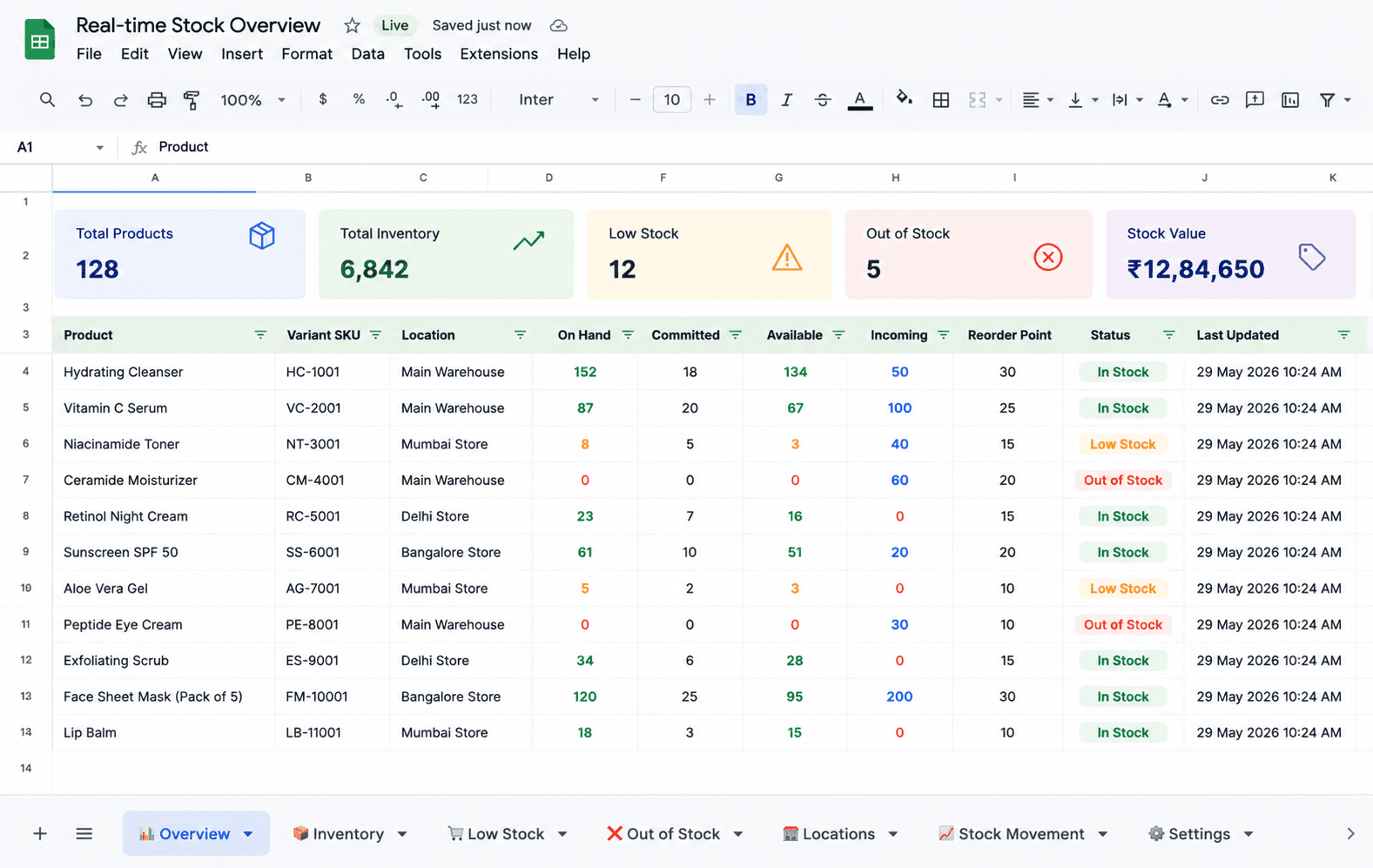
The questions a growing brand needs answered live on the other side of that work:
Which products are profitable after every cost, not just COGS?
Which channels scale efficiently once ad spend is in the math?
Which customer cohorts deliver the most profit over time?
What's our real net profit after everything?
Where exactly is the margin leaking?
A Shopify profit app answers these without the manual assembly. It connects to Shopify and your ad platforms, applies your cost rules, and shows the full picture in one place, updated daily.
How does a Shopify profit app like Bloom fill the gap?
Bloom is a profit intelligence layer that sits on top of Shopify and picks up exactly where the native reports stop. It doesn't replace Shopify Analytics. It extends it, adding the cost layers Shopify can't see.
Does Bloom show true net profit, or just a better gross margin?
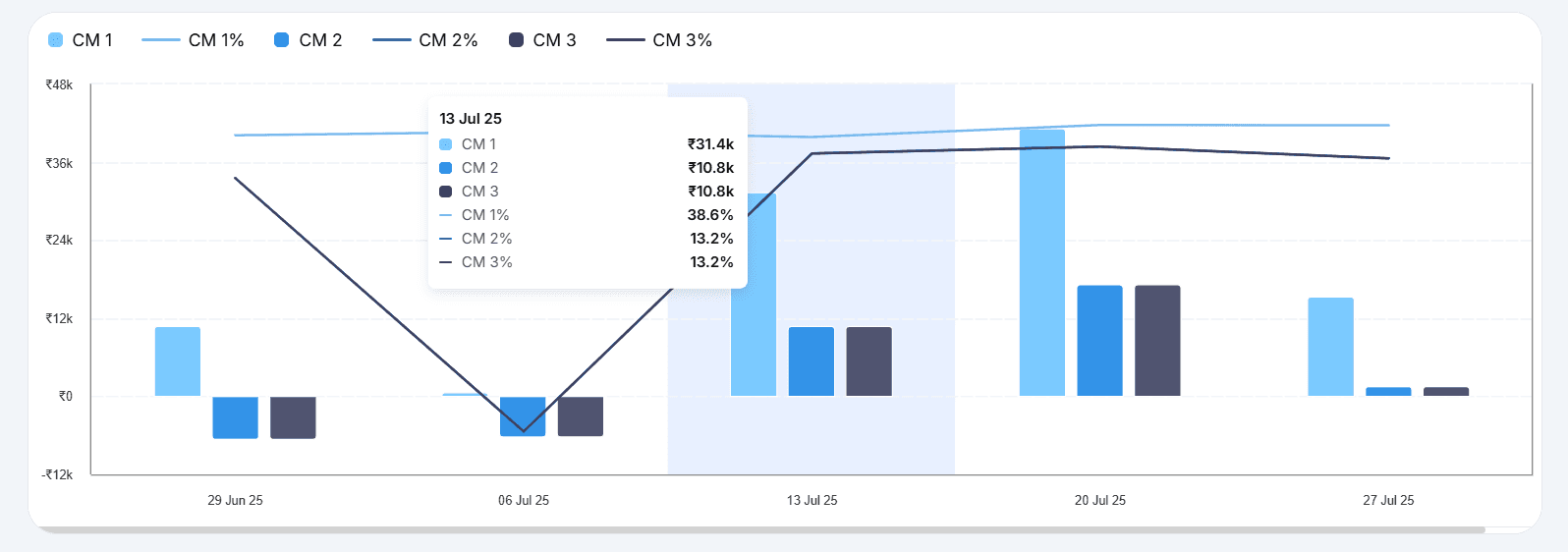
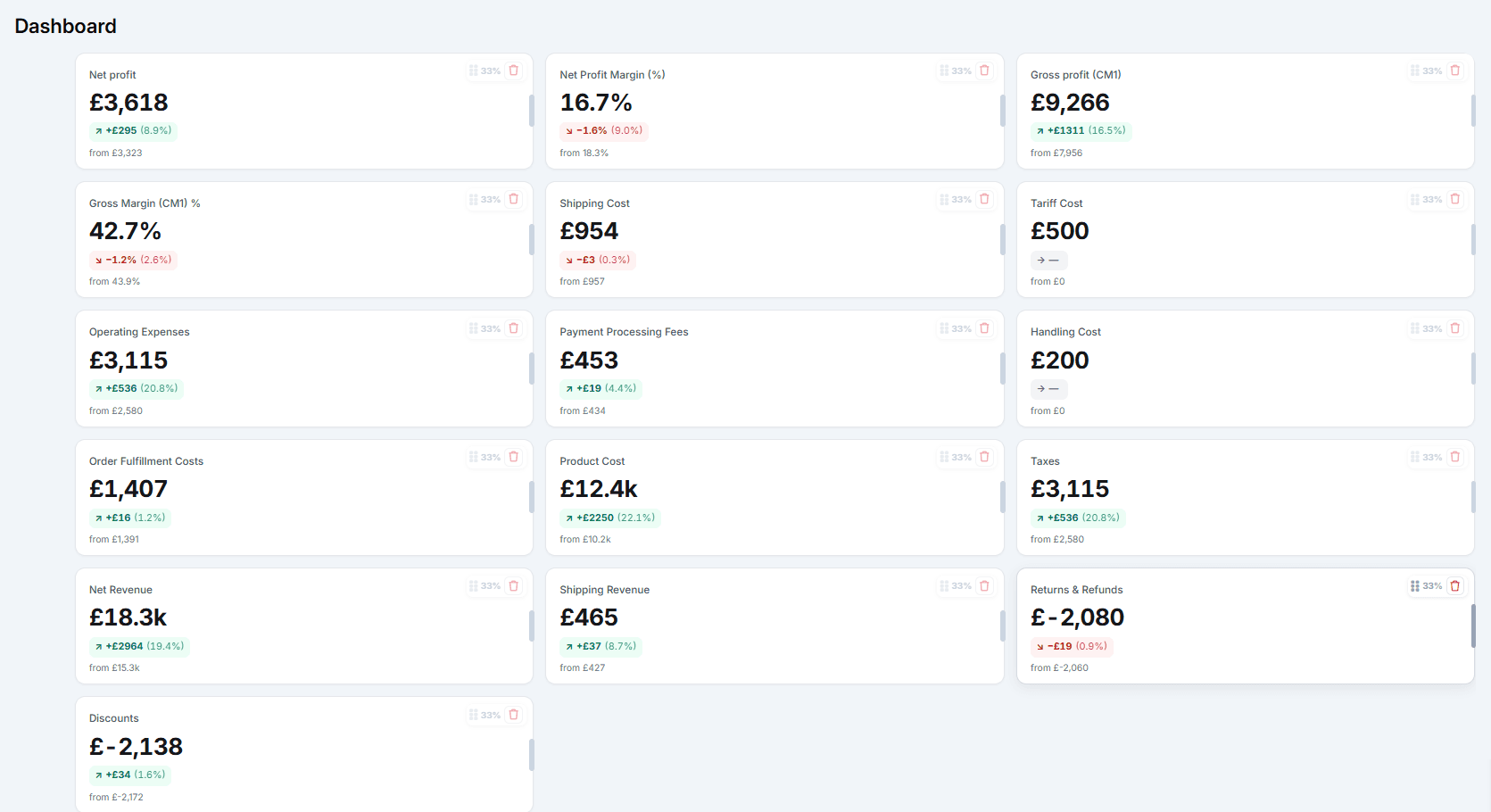
True net profit, fully layered. Shopify stops at gross profit. Bloom keeps going, splitting profit into three tiers: after product cost (CM1), after fulfillment (CM2), and after ad spend (CM3), before rolling operating expenses into the final net profit view. That structure means you can see exactly where the margin disappears, not just how much of it did.
How does Bloom handle product costs that Shopify can't track accurately?
Bloom supports editable product and variant costs across quantity brackets and date ranges, preserving historical accuracy even for deleted variants. We've found this matters most during supplier renegotiations, when a cost change mid-year shouldn't silently rewrite the margin history of every past order. Landed costs can also be tracked separately, so the true cost of imported inventory is in the calculation.
How does Bloom assign shipping costs per order?
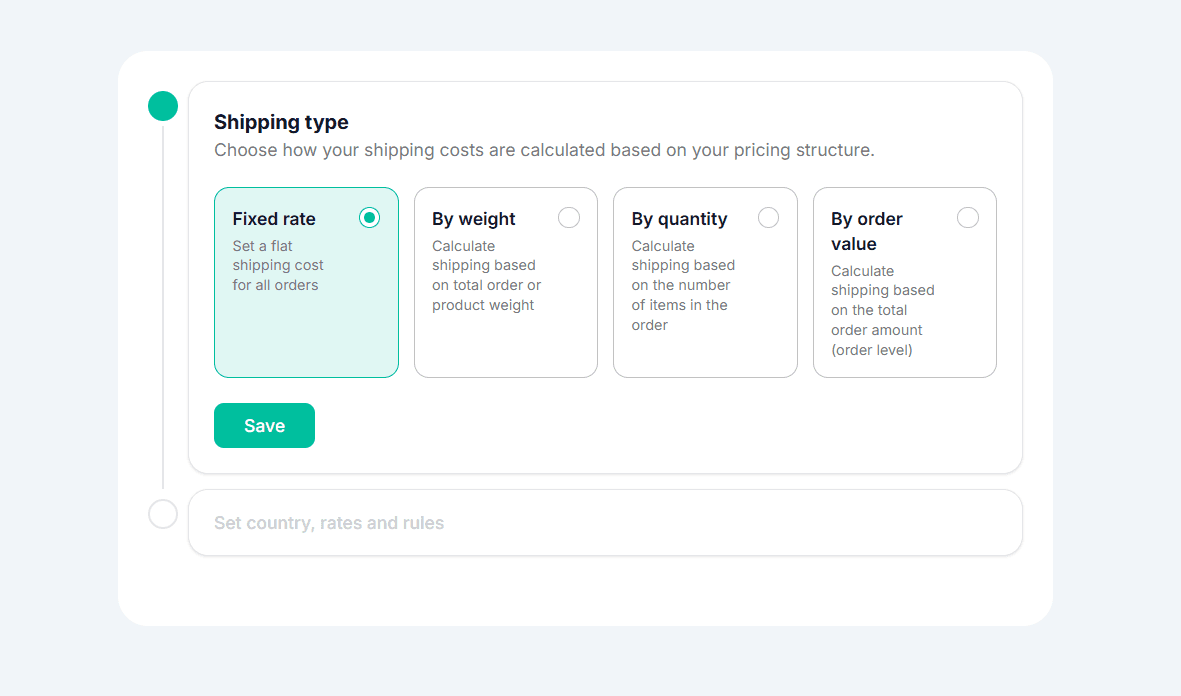
Shopify can't assign shipping cost by order or product. Bloom sets shipping rules by region, carrier, method, weight, quantity, or order value, so the fulfillment cost in the profit view reflects what you actually paid, not a blended average.
What custom costs can Bloom track that have no place in Shopify?
Bloom tracks tariffs, return costs, channel fees, salaries, and recurring business costs inside the same profitability view. Shopify has no operating expense layer at all. This is what gets you from contribution margin to actual net profit.
How does Bloom connect ad spend to profit?
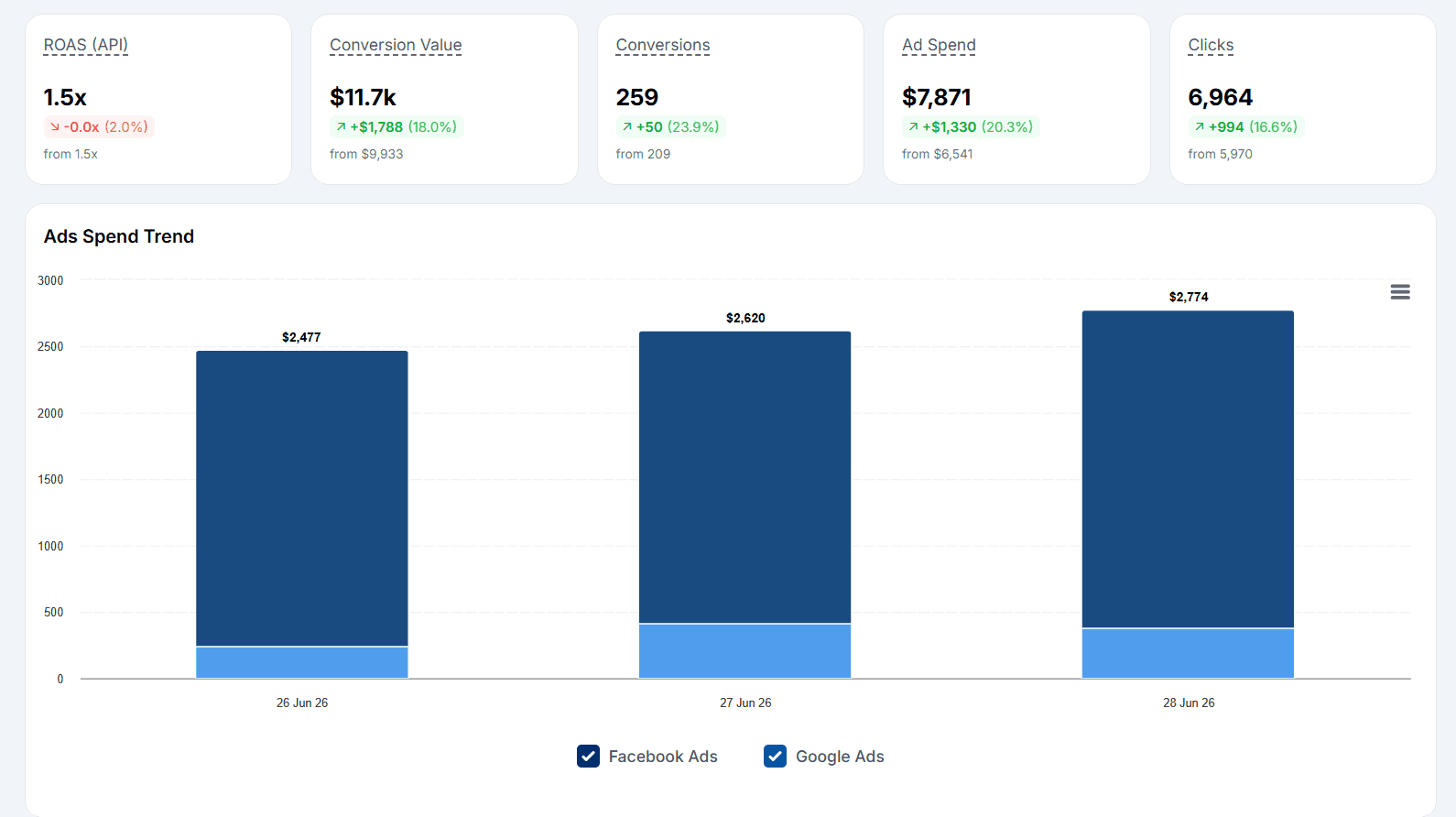
Bloom pulls spend directly from Meta, Google, and other ad platforms to track ROAS, POAS, CPA, and true campaign profitability in one place. Shopify shows attributed revenue but not what you spent to generate it. With spend in the calculation, you can see which channels are actually profitable after acquisition cost, which is the number that drives scaling decisions.
How does Bloom rank products differently than Shopify?
Shopify ranks products by revenue. Bloom ranks them by what they actually keep after every cost, then flags the ones to scale, reprice, or stop pushing. In our experience, the two lists rarely match. The products with the highest gross margin in Shopify aren't always the ones generating the most real profit.
Bloom takes the same order, product, channel, and customer data Shopify already shows you and adds the costs it leaves out, resolved into a single profit number per order, product, and campaign. That takes you from 'sales are up' to 'here's what we kept and here's what to do about it.'
Test it on your store with Bloom's 14-day free trial.
Frequently asked questions
Does Shopify Analytics show net profit?
No. Shopify shows gross profit, which is net sales minus the cost of goods. It doesn't subtract ad spend, payment fees, fulfillment, or overhead. Seeing true net profit means pulling those costs into the calculation, which requires connecting your ad platforms and cost data to your Shopify revenue. That's what a dedicated profit app does.
Can I track ad spend inside Shopify Analytics?
Not as part of profit. Shopify's marketing reports show attributed sales, but the money you spent on Meta, Google, and TikTok stays in those platforms. Without spend data, Shopify can't tell you whether a campaign is profitable after the cost of running it. That number requires connecting ad platform spend to order-level revenue, which Shopify doesn't do natively.
Do I need a Shopify profit app if my store is small?
Not necessarily. For early-stage brands with a handful of SKUs, minimal ad spend, and simple fulfillment, Shopify's native reports often cover what you need. The case for a profit app grows as your cost structure gets more complex: more SKUs, multiple ad channels, 3PL fees, and rising overhead all create gaps that gross-profit reporting won't surface until the damage is done.
What does a Shopify profit app track that Shopify doesn't?
It combines what Shopify reports with the costs Shopify omits: real per-order shipping, ad spend across platforms, payment processing fees, 3PL and fulfillment charges, and operating expenses. The result is true net profit at the order, product, channel, and customer level, instead of gross profit on product cost alone.
Is Bloom only useful for stores with high ad spend?
No. Bloom is useful any time you have costs outside COGS that Shopify doesn't see. That includes stores with heavy 3PL reliance, complex shipping cost structures, multiple sales channels, or high return rates. Ad spend visibility is one layer. The contribution margin framework (CM1, CM2, CM3) applies regardless of how you acquire customers.
Know Your Real Profit And
The Ads That Actually Sell.
No need to spend. Just try it on your store.